Hi everyone, hope you’re doing well.
This blog post is to announce that AutoUpgrade-Composer has been updated to v.26.2-1.
The Reason
On February 6th, Rodrigo Jorge blogged about two changes in the new version of AutoUpgrade released on February 6th (26.2):
- CSI: now the Oracle Update Service requires that not only the MOS credentials are provided, but also the MOS CSI.
- Gold Image: now AutoUpgrade can generate a Gold Image based in the patches you select to download. This can be really useful if you perform automated patch operations and need to include specific patches in your patching strategy pipeline.
I will not talk in detail about this change in this post, as Rodrigo Jorge already covered it really well (as always) in his blog post:
Downloading and using Gold Image with AutoUpgrade
There are other really cool features in the new version of AutoUpgrade, and I’m working in AutoUpgrade-Composer to have them changed soon!
The goal of this blog post is to show how those new changes will be presented in AutoUpgrade-Composer.
The New Feature: Add CSI to Keystore
So, now, when you select the Download Mode in the Patch Section, the instructions to load your MOS credentials are updated, explaining how to add your CSI:
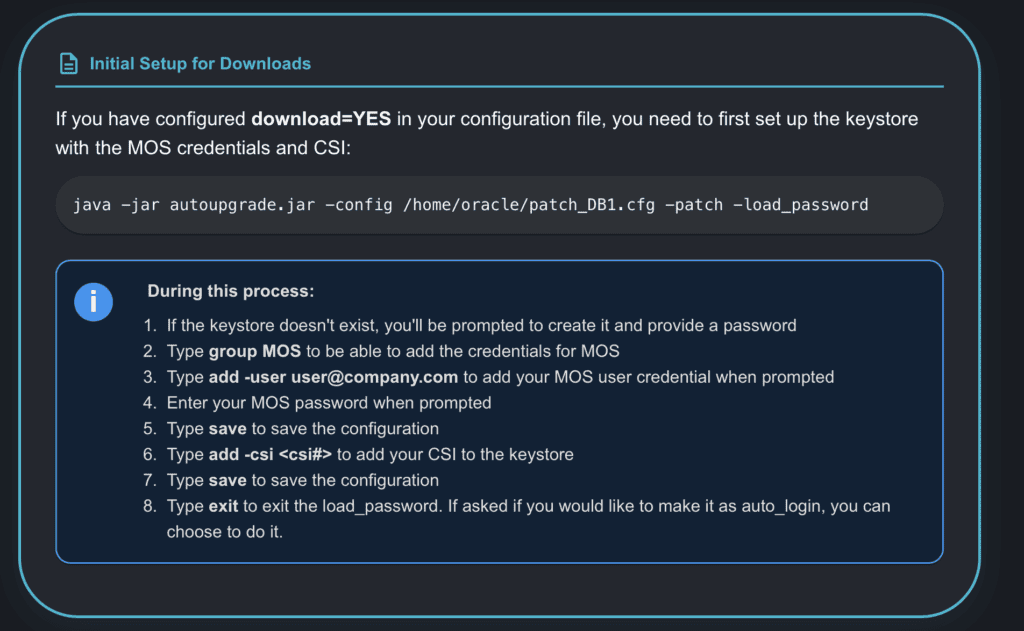
That’s it for this change. Just the instructions on how to achieve this.
The New Feature: Gold Image
Still in Download Mode in the Patch Section, in the Patch Content tab, we have the Gold Image dropdown field:
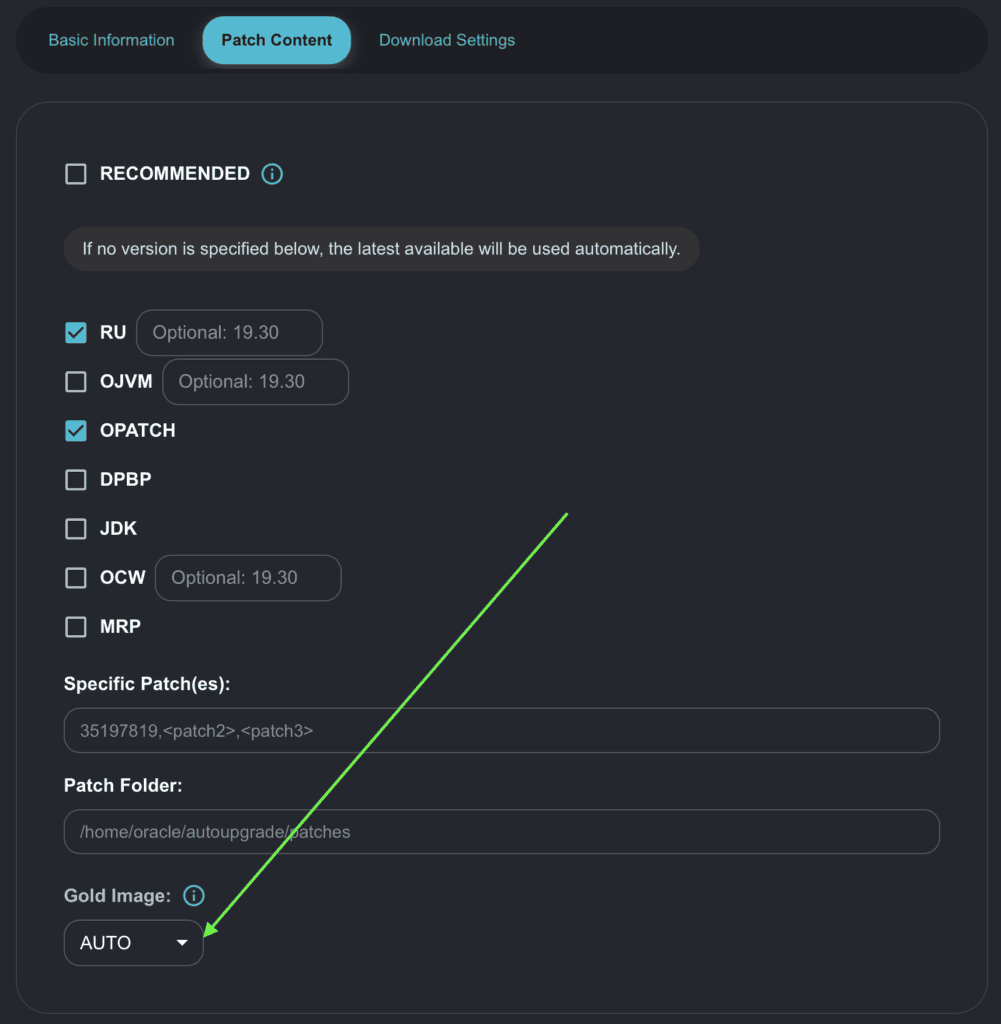
The valid options are shown below:
- NO
- YES
- ALL
- AUTO
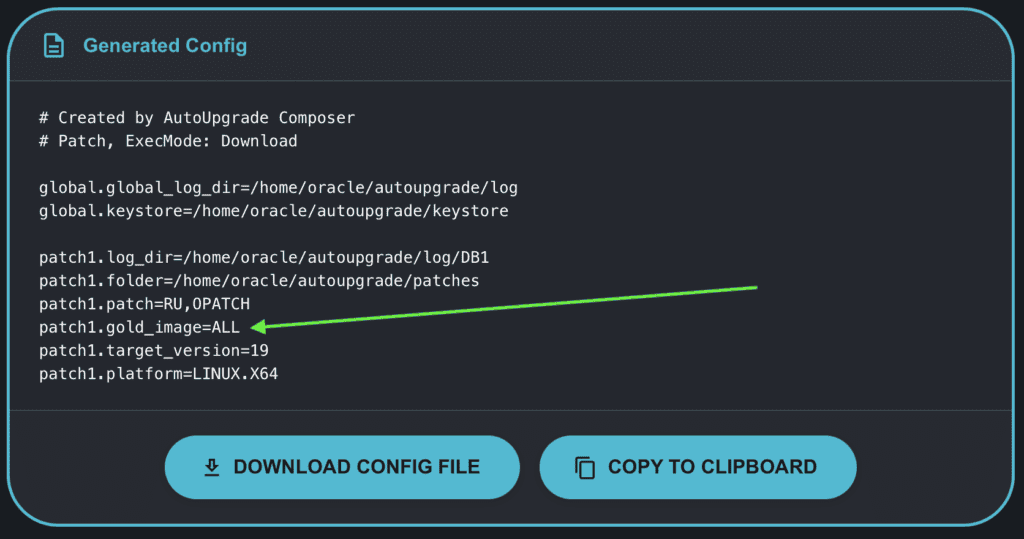
AUTO is the default option, and as the default option, its value is not added to the Generated Config.
If you choose any value different from AUTO, like ALL, its value will be added to the Generated Config:
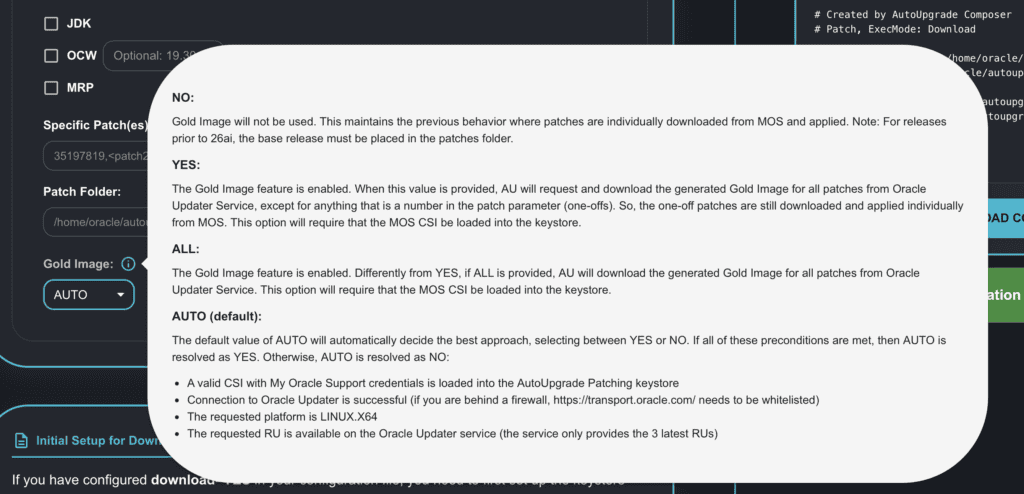
You also have a tooltip box. By moving the mouse cursor over Gold Image, it will show a brief description of how it works (this is from Rodrigo’s post):
I’m going to perform some exercises with the Gold Image feature and publish a blog post soon. But for now, we should be well covered by Rodrigo’s post.
As I mentioned when I released AutoUpgrade-Composer, I will try to follow the same versioning as AutoUpgrade, appending the number of the change I am making in the Composer:
| AutoUpgrade Version | AutoUpgrade-Composer Version |
| 26.2 | 26.2-1 |
As I’m still working on the Composer to add more features (the same ones added to AutoUpgrade), expect more updates on Composer in the upcoming days/weeks, either for new features or if I find any issues/bugs.
Hope it helps!
Peace!
Vinicius
