Hi everyone, hope you’re doing well.
This blog post is to announce that AutoUpgrade-Composer has been updated to v.26.2-6.
Yesterday, March 12th, there was the Virtual Classroom #27 – Database Patching for DBAs – Patch smarter, not harder (content not available on Youtube yet). This was presented by the Oracle Database Upgrade, Cloud Migrations and Patching, led by Mike Dietrich. Yesterday they also introduced the new Product Manager, Alejandro Diaz. Great to see the team with new faces!
New URL
Yes, correct! I was thinking that maybe https://viniciusdba.com.br/autoupgrade-composer could be hard for the people who are not from Brazil or native Portuguese speakers! 🙂
So, AutoUpgrade-Composer is now in a new URL:
https://autoupgrade-composer.com/
If you have bookmarked AutoUpgrade-Composer, don’t worry, you will be redirected to the right URL. Search engines should update it soon as well.
OJVM in 21c, 23c and 26ai
So, during their presentation, something came to my attention:
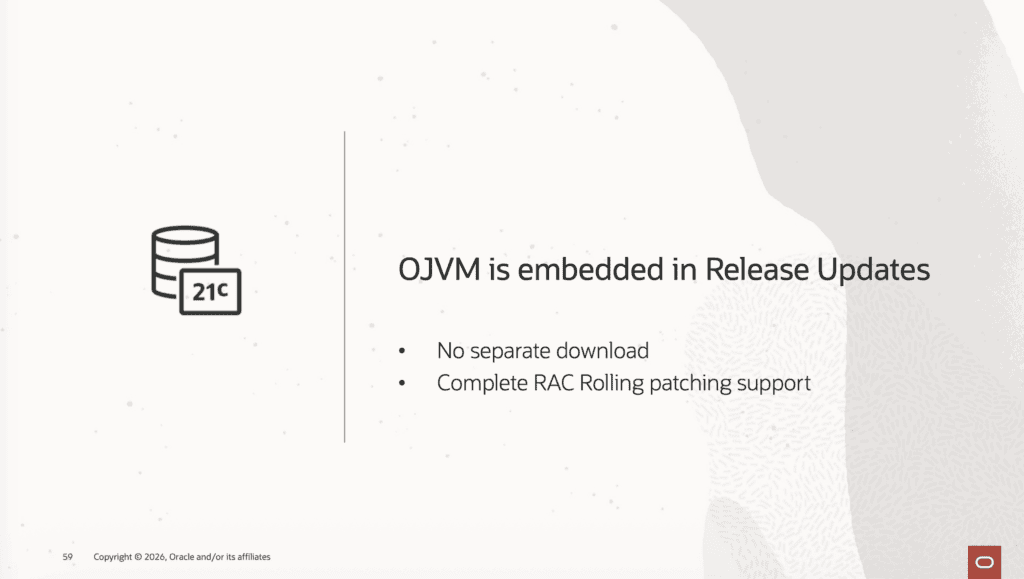
Well, when I saw that, I realized that AutoUpgrade Composer was allowing OJVM to be selected for target_version 21, 23 and 26, and this should not be allowed, as it’s embedded in RUs.
I discussed this with Rodrigo Jorge and Alex Zaballa. So, now, if you select target_version 21, 23 or 26, you will notice this in the Patch Content tab:
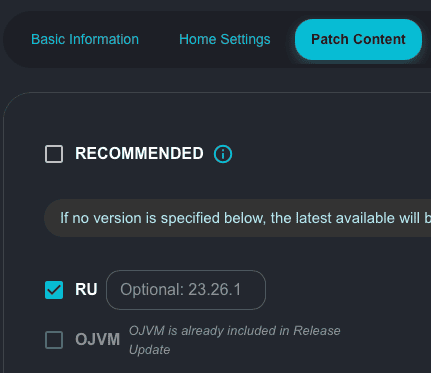
Makes no sense to have this option enabled and allowing it to be selected if it is already embedded in the Release Updates for the versions I mentioned.
SDO in 21c, 23c and 26ai
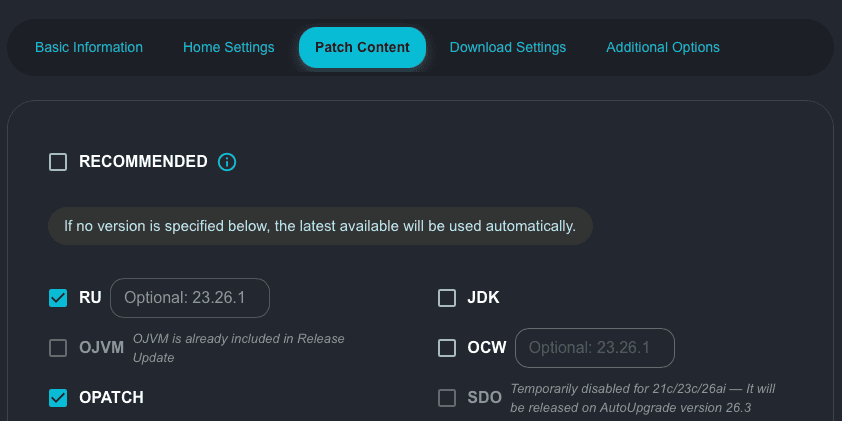
Well, there is an issue in AutoUpgrade when SDO (Spatial Bundle Patch) is selected as an option to download when target_version is 21, 23 and 26. I confirmed this with Rodrigo Jorge and Alex Zaballa and they confirmed that this will be fixed in the next AutoUpgrade version, 26.3. So, in the Composer, you still can select it only if target_version is 19.
If you try to download SDO patches with AutoUpgrade, your operation will fail with this message:
Cannot find the Oracle Spatial (SDO) patch
This is how the option will be displayed:
Oracle Text (TEXT) in 21c, 23c and 26ai
Well, this is interesting. I did several tests with 23c in the previous release updates before the release of 26ai, and AutoUpgrade was not able to find the patch for Oracle Text, failing with this message:
Cannot find the Oracle Text patch
Alex Zaballa confirmed with the Product Management team for Oracle Text that Oracle Text does not have a separate patch starting with 21c. Instead, it is fully included in the Release Update.
For Oracle 19c, Oracle Text is already part of the DBRU, but an MLR (Merge Label Request) may still be released on top of the DBRU. This MLR contains fixes that either did not make it into the current DBRU or fixes that cannot be included through the DBRU mechanism (for example, because they are not RAC rolling).
Because Oracle Text shares common code with Text, JSON, and XML search indexes, this MLR is highly recommended for environments using those features.
Keep in mind that not all RU versions will have an MLR for Oracle Text. For example, I did some tests with AutoUpgrade. For 19.30:
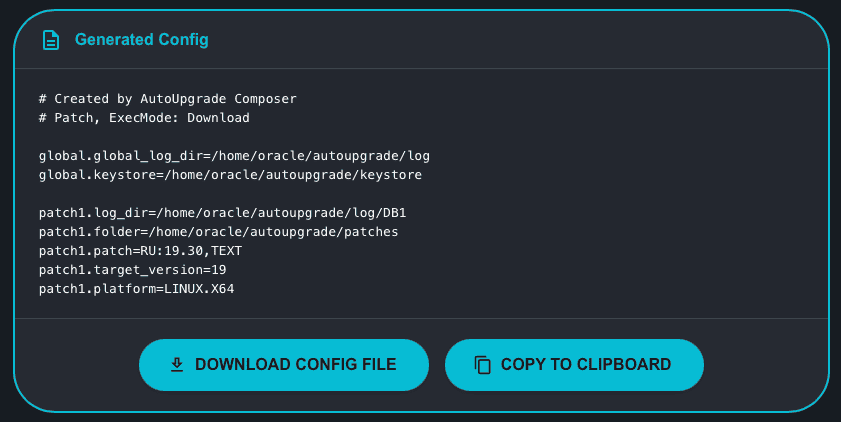
This worked fine.
Then I tried this (19.28):
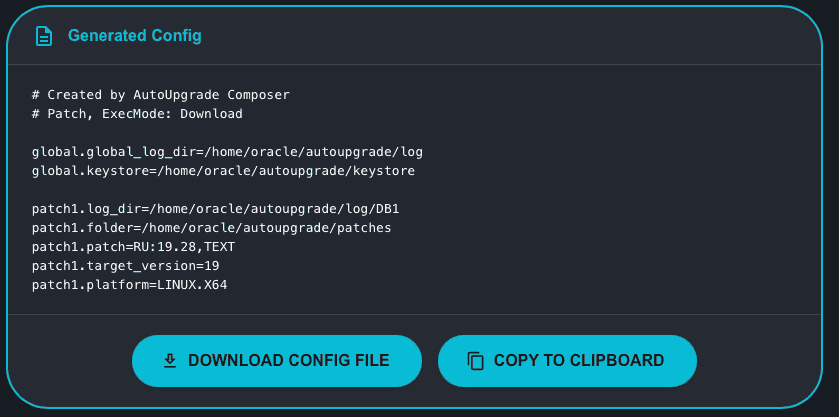
This also worked fine.
Then, I tried this (19.27):
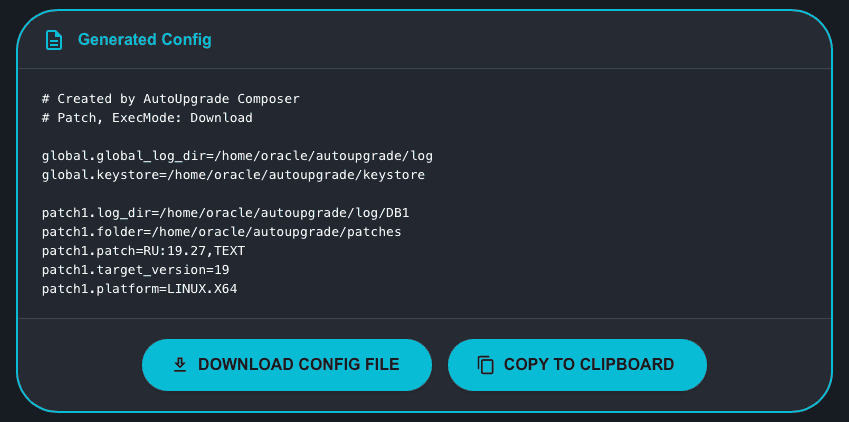
This also worked fine.
Then, I tried this (19.26):
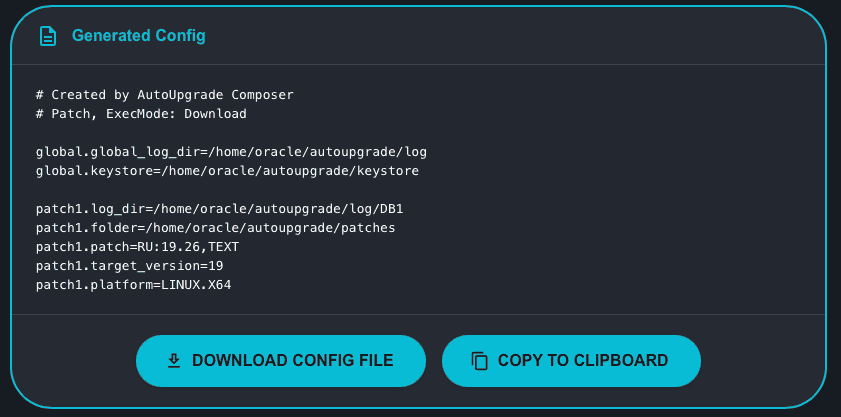
It failed:
Cannot find the Oracle Text patch
So, AutoUpgrade Composer does not have the capability (as of now – March/2026) to enable or disable the Oracle Text patch for 19c according to the RU version. You should try, and if it fails, just remove the keyword TEXT from the configuration file:
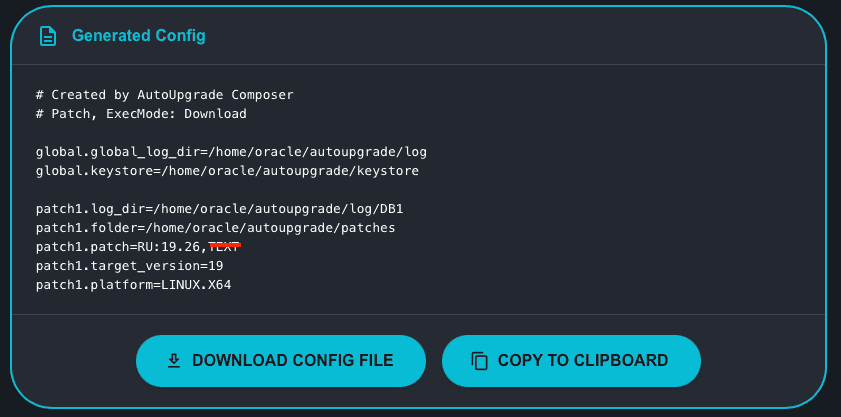
For 23c and 26ai, however, Oracle has been able to include all fixes directly in the DBRU so far, meaning no additional MLR is currently required.
Fixed Wrong Placeholders
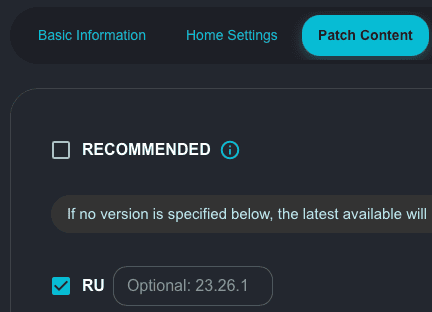
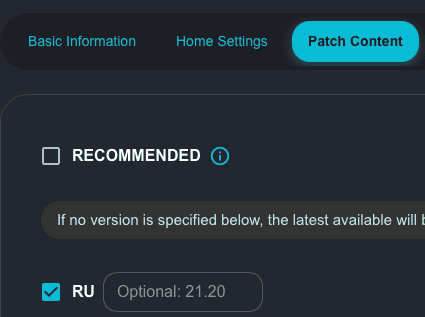
I noticed that in the Patch Content tab, the placeholders for the notation RU:x.y and OCW:x.y were not updated when target_version 21, 23 or 26 were selected.
Now if you select either 21 or 23/26, you will see the following placeholders (just an example):
Hope it helps!
Peace!
Vinicius
