Hi everyone, hope you’re doing well.
Today Oracle released the new version for AutoUpgrade: 26.3!
So, this blog post is to announce that AutoUpgrade Composer has been updated to v.26.3-1.
I’ll list all the changes implemented below:
Tools Download
AutoUpgrade now supports the download of some Tools, which is great!
The tools that AutoUpgrade now supports are:
- AHF: Autonomous Health Framework
- CVU: Cluster Verification Utility
SQLCL: SQLClThis one I identified an issue using AutoUpgrade and shared with Alex Zaballa and Rodrigo Jorge. They were able to reproduce the issue and mentioned that the fix should be released in the next version of AutoUpgrade.
OK, let’s start playing with this feature!
First, you need to access AutoUpgrade Composer:
https://autoupgrade-composer.com
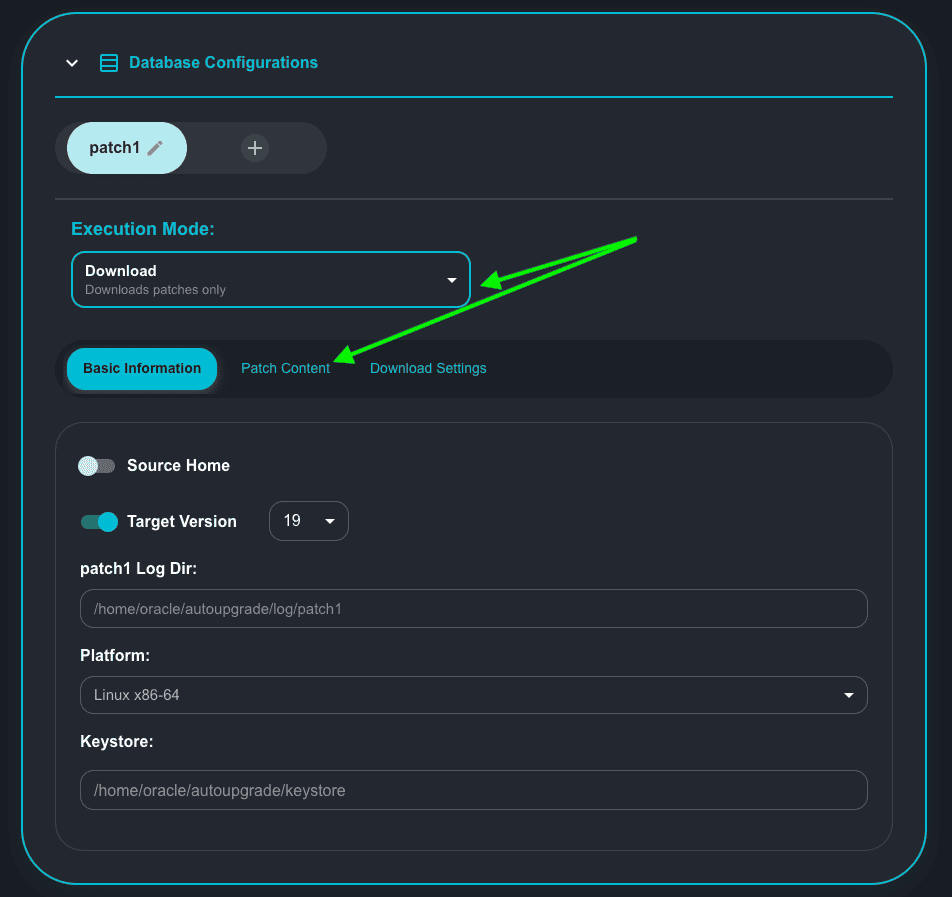
With the Execution Mode selected as Download, click on Patch Content:
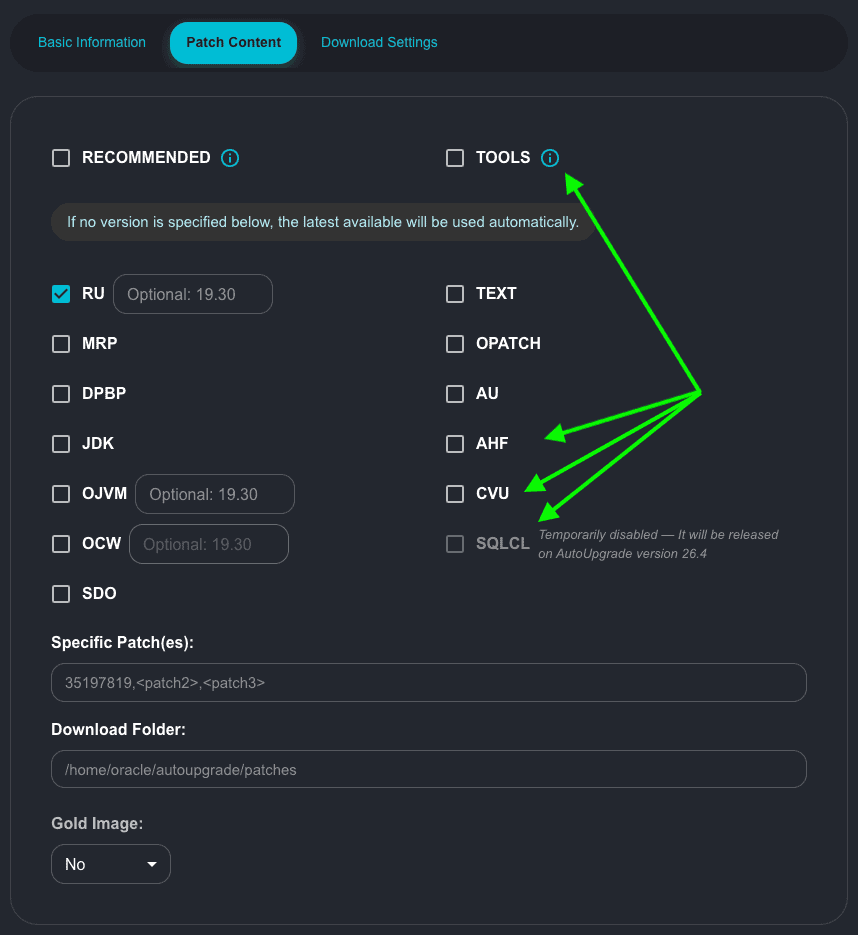
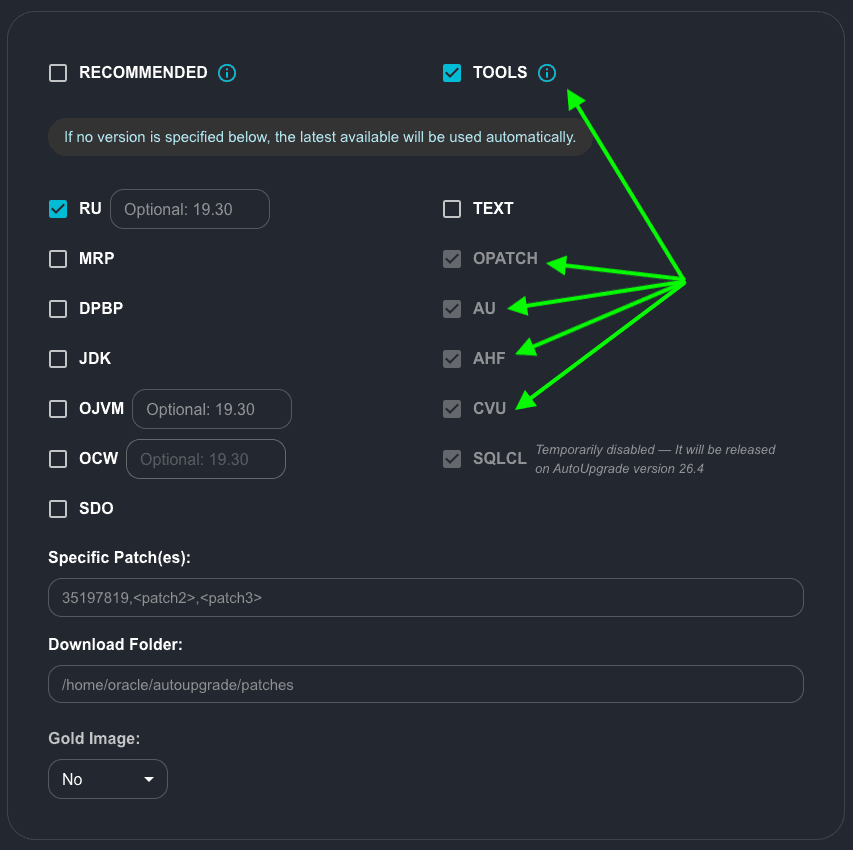
If you notice, now we have the checkboxes for TOOLS, AHF, CVU and SQLCL
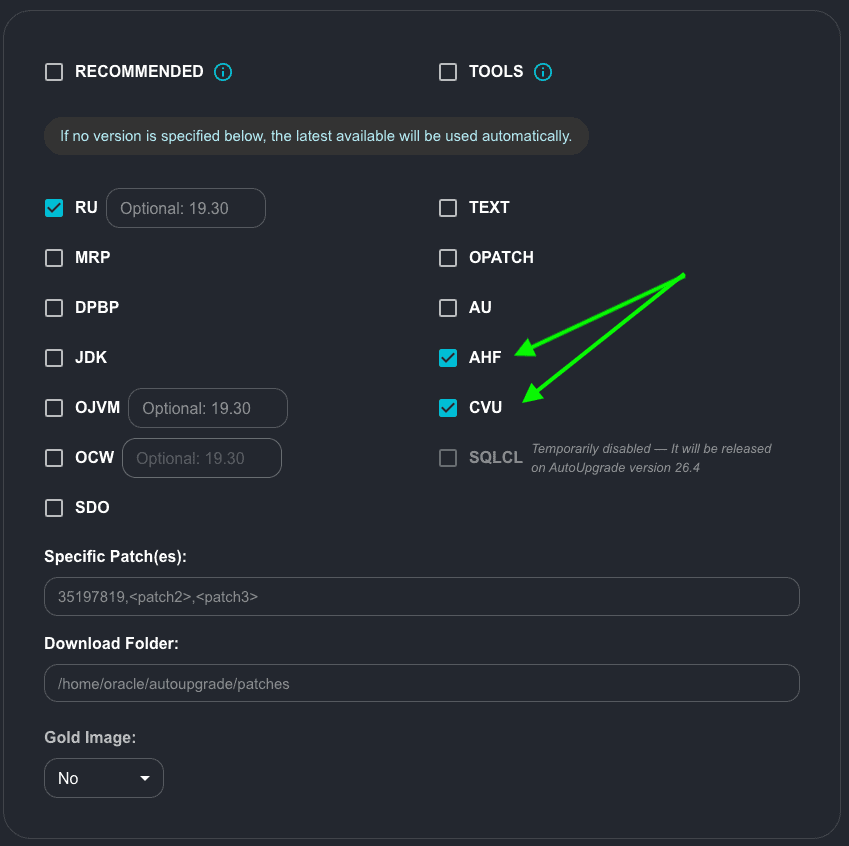
Let’s click on AHF and CVU:
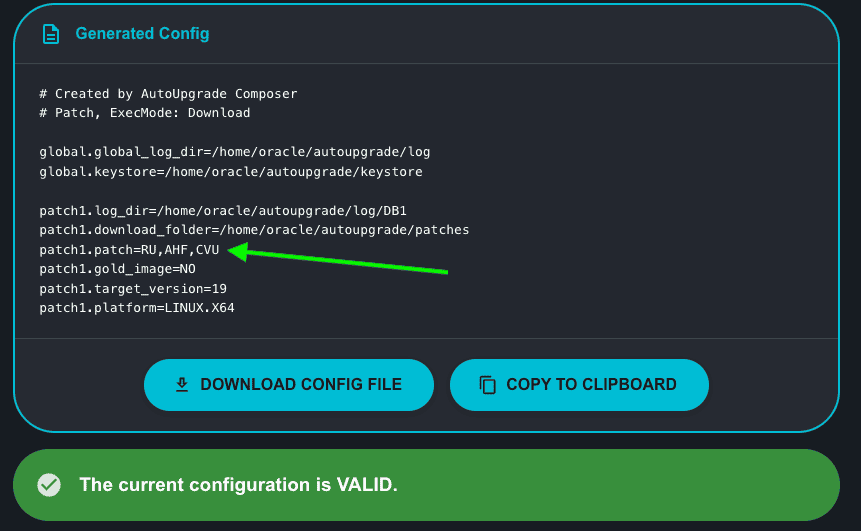
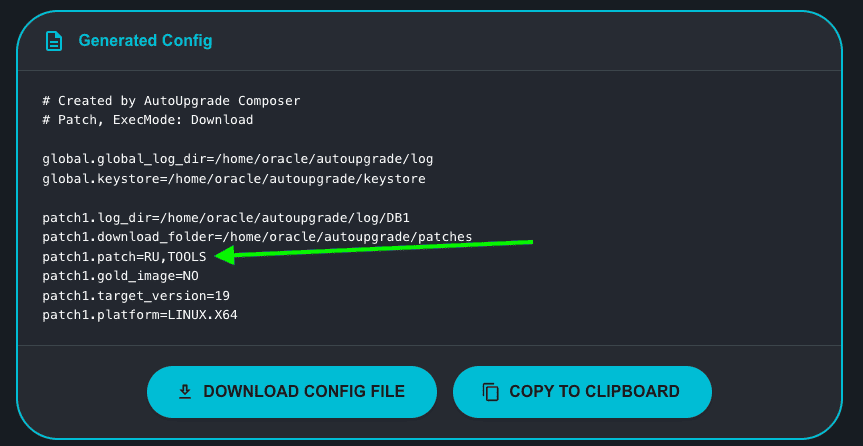
Let’s see how this will be displayed in the Generated Config:
Now, let’s click on TOOLS. You will notice that the following options will be selected by default:
- OPATCH
- AU
- AHF
- CVU
SQLCL
This means that if you select TOOLS, all of those items will be downloaded:
Here is the Generated Config:
Let’s see how this will behave when using AutoUpgrade in Download mode:
java -jar autoupgrade.jar -config tools.cfg -patch -mode download
AutoUpgrade Patching 26.3.260401 launched with default internal options
Processing config file ...
Loading AutoUpgrade Patching keystore
AutoUpgrade Patching keystore is loaded

Connected to MOS - Searching for specified patches

-----------------------------------------------------
Downloading files to /home/oracle/autoupgrade/patches
-----------------------------------------------------
DATABASE RELEASE UPDATE 19.30.0.0.0(REL-JAN260130)
    File: p38632161_190000_Linux-x86-64.zip - VALIDATED

OPatch 12.2.0.1.49 for DB 19.0.0.0.0 (Jan 2026)
    File: p6880880_190000_Linux-x86-64.zip - VALIDATED

Standalone CVU (OL8+, RHEL8+) January 2026
    File: cvupack_linux_ol8_x86_64.zip - VALIDATED

PLACEHOLDER - DOWNLOAD LATEST AHF (TFA and ORACHK/EXACHK)
    File: AHF-LINUX_v26.2.0.zip - VALIDATED

autoupgrade.jar 26.2 (February 2026)
    File: autoupgrade.jar - LOCATED

sqlcl-latest.zip 25.4.0.346.1855 (December 2025)
    File: sqlcl-latest.zip - 100%
There were conditions found preventing AutoUpgrade Patching from successfully running

*Downloading files
Download failed
*The downloaded file sqlcl-latest.zip did not have the expected size*
As you can see, if you choose TOOLS, SQLCl will fail. This is already being reviewed by Mike’s team as I have mentioned.
Deprecation of FOLDER parameter
Now in AutoUpgrade 26.3, the parameter FOLDER is deprecated. You will need to use the new parameter DOWNLOAD_FOLDER. AutoUpgrade still will work with FOLDER, but it’s good to start fixing your configuration files! 🙂
Let’s try to load a configuration file that has the old FOLDER parameter:
global.global_log_dir=/home/oracle/autoupgrade/log
global.keystore=/home/oracle/autoupgrade/keystore
patch1.log_dir=/home/oracle/autoupgrade/log/DB1
patch1.folder=/home/oracle/autoupgrade/patches
patch1.patch=RECOMMENDED
patch1.gold_image=NO
patch1.target_version=19
patch1.platform=LINUX.X64
We will receive a warning:
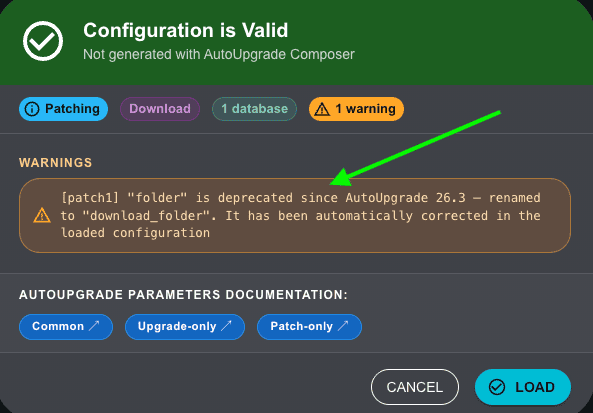
If you notice, Composer is mentioning that even with this warning, it will fix this when you load your configuration file:
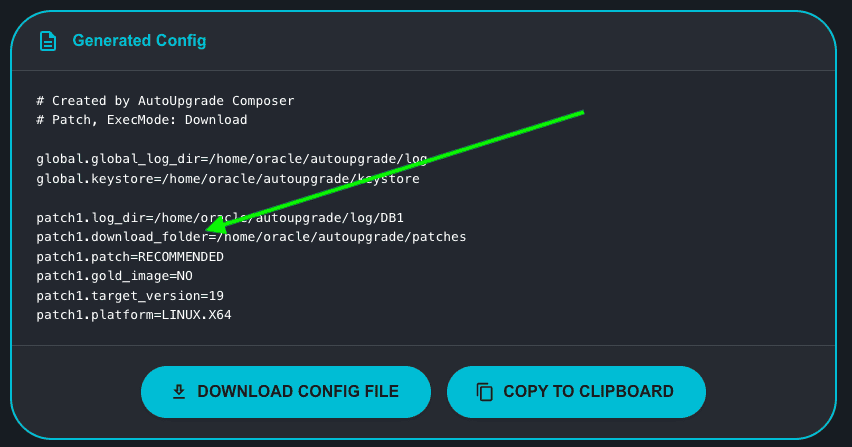
Cool! Isn’t it?
Hope it helps!
Peace.
Vinicius
