
AutoUpgrade Composer: Updated to v.26.3-3, v.26.3-4, v.26.3-5, v.26.3-6 and v.26.3-7
Hi everyone, hope you’re doing well.
It has been a while since my last blog post mentioning updates on AutoUpgrade Composer. I’ve been working a lot on multiple projects/clients in parallel, so, it’s been difficult to manage this.
Since my last blog post about updates on AutoUpgrade Composer (v.26.3-2), back in April/2026, I continued working on updates to AutoUpgrade Composer, just haven’t posted about them here on the blog, but the changelog is updated for sure.
Let’s go over all updates I have made to Composer in the last two months:
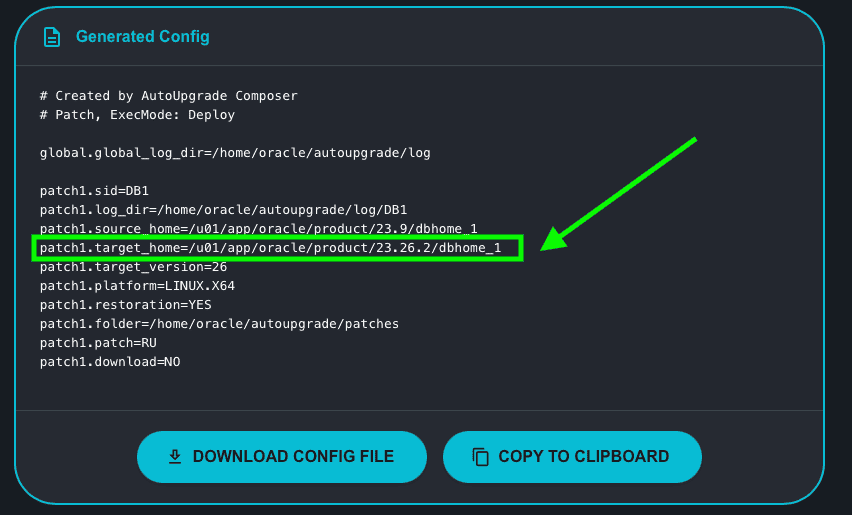
v.26.3-3 – RU version placeholders
If you check the Composer, we have the placeholders for the RU versions. For example, if you choose 19c, you will see that the Target Home mentions 19.31. If you choose 26ai, the Target Home will be 23.26.2. In the past, I was updating the placeholders through a code change and a new deploy of the Composer every time Oracle released a new RU. Now I have a configuration file where I list the “current” version to be used as placeholders. This is just internal stuff and doest not affect usability at all.
v.26.3-4 – Fixed target_pdb_copy_option
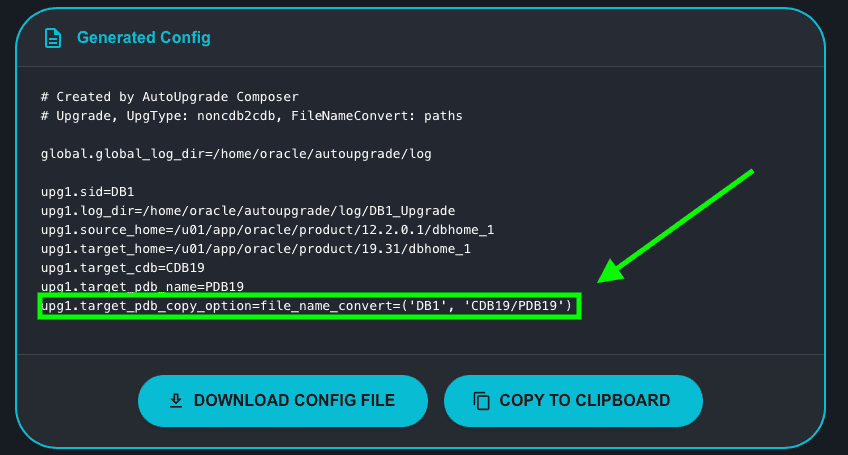
If you are selecting to perform an Upgrade and also performing a Non-CDB to CDB Conversion, you have the option to choose the values for the AutoUpgrade parameter target_pdb_copy_option. There was an incorrect option being passed when choosing file_name_convert. Thank you Alex Zaballa for pointing out the issue!
v.26.3-5 – Re-enabled SQLcl as an option to build the configuration file for download
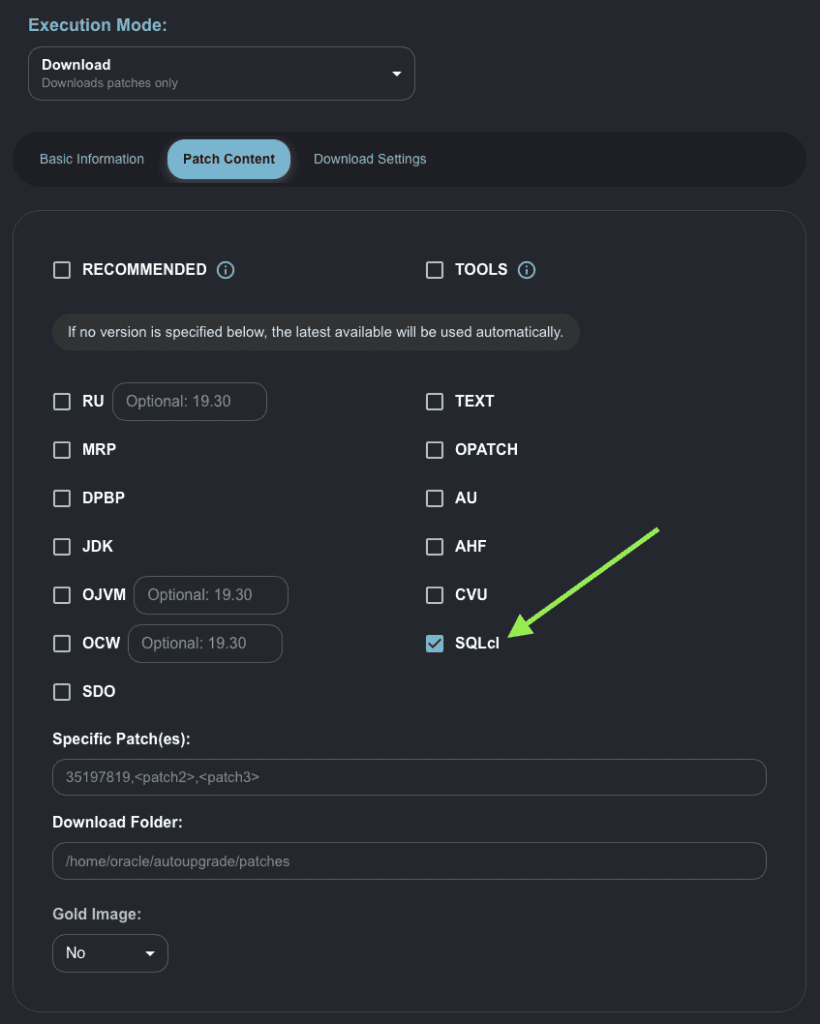
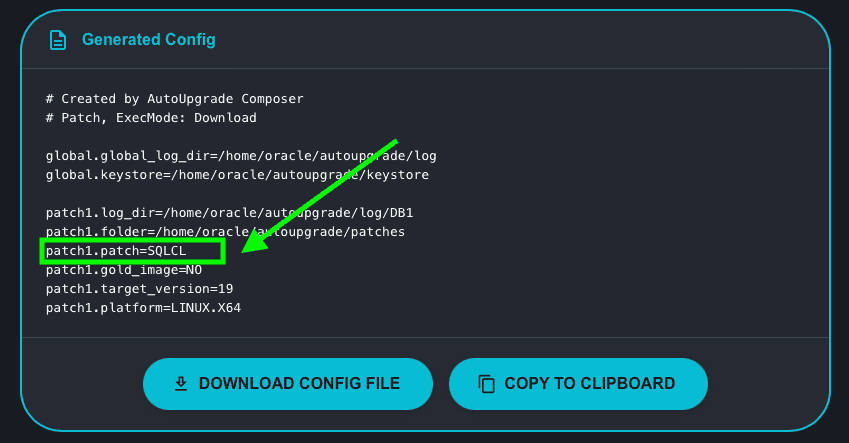
When Oracle enabled the capability to download SQLcl through AutoUpgrade, there was an issue on their side and the download of SQLcl through AutoUpgrade was always failing. This was fixed on June 5th and in the same day I re-enabled this option in the Composer. Thank you Alex Zaballa for letting me know!
v.26.3-6 – Added an AutoUpgrade Release Card
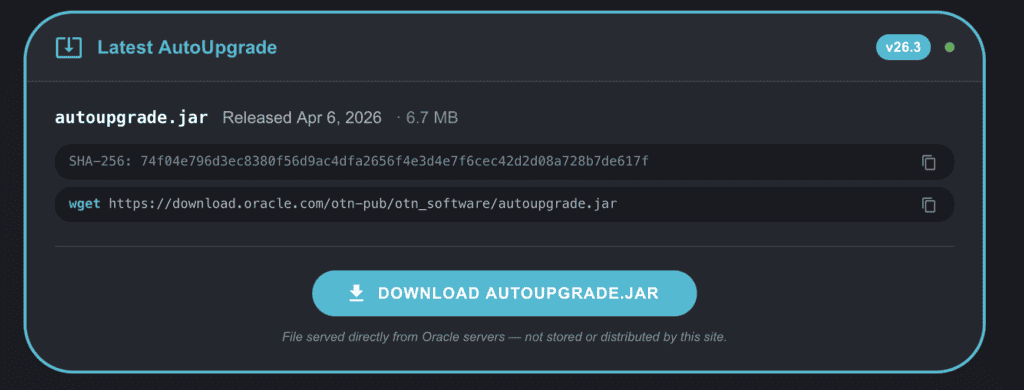
Now, you always will notice that after (below) the Generated Config, there is a card showing the latest version of AutoUpgrade, the release date, the checksum, a clickable link to download AutoUpgrade directly from Oracle, and a wget command to be copied to download AutoUpgrade. This card relies in the JSON that is publicly available through Oracle’s website, so, every time Oracle updates this JSON, the card in the Composer will automatically display the updated data.
What motivated me to add this card is that I was helping some colleagues through LinkedIn (messages) and noticed they were using an old version of AutoUpgrade. We do know that we should check the main note for AutoUpgrade in My Oracle Support, but anyway, with this card, it’s easy to verify what is the latest version.
v.26.3-7 – Added a warning note about the Initial Setup for Downloads
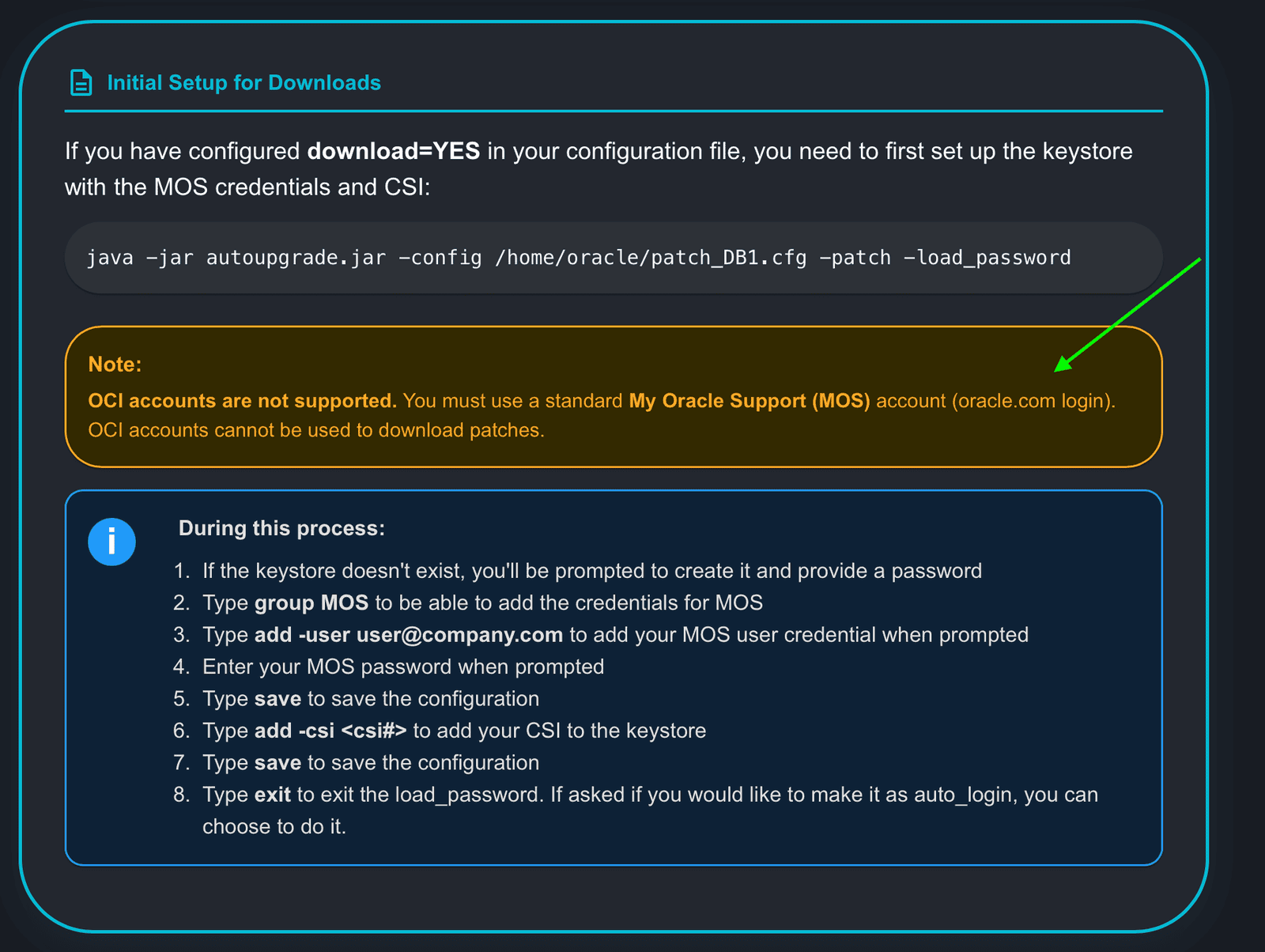
I was talking with Alex Zaballa and he mentioned that some people were unable to download the patches using AutoUpgrade because they were using an OCI account to try to download the patches, instead of a regular MOS account. I thought that it would be useful to list a note that that only a regular MOS account allows you to download the patches.
Hope it helps!
Peace
Vinicius
Leave a comment