
AutoUpgrade Composer: Updated to v.26.6-1
Hi everyone, hope you’re doing well.
AutoUpgrade Composer is now at v.26.6-1. This release adds five new patch options introduced in AutoUpgrade 26.6:
- CPAT
- DBSAT
- EXAQFSDP
- EXAPATCHMGR
- OEM
Along with tighter Download mode enforcement, smarter Load/Validate behavior, and an improved AutoUpgrade release card. A lot moved in this one, so let me walk through it section by section.
What’s new in AutoUpgrade 26.6
Oracle released AutoUpgrade 26.6 with a new set of supported patch keywords. Most of them are download-only, they tell AutoUpgrade to fetch additional tooling alongside the patch set when running in Download mode. The Composer now have all of them as checkboxes in the Patch Content subtab, but only when you have AU 26.6 selected in the AU Version selector (top-right of the page). If you’re on 26.5 or earlier, these options stay hidden.
GI – Grid Infrastructure Release Update
AutoUpgrade 26.6 introduces GI as a brand-new patch keyword. GI tells AutoUpgrade to download the Grid Infrastructure Release Update in Download mode. It is not a rename of OCW, OCW remains valid and unchanged across all modes (Download, Deploy, Create Home, etc.).
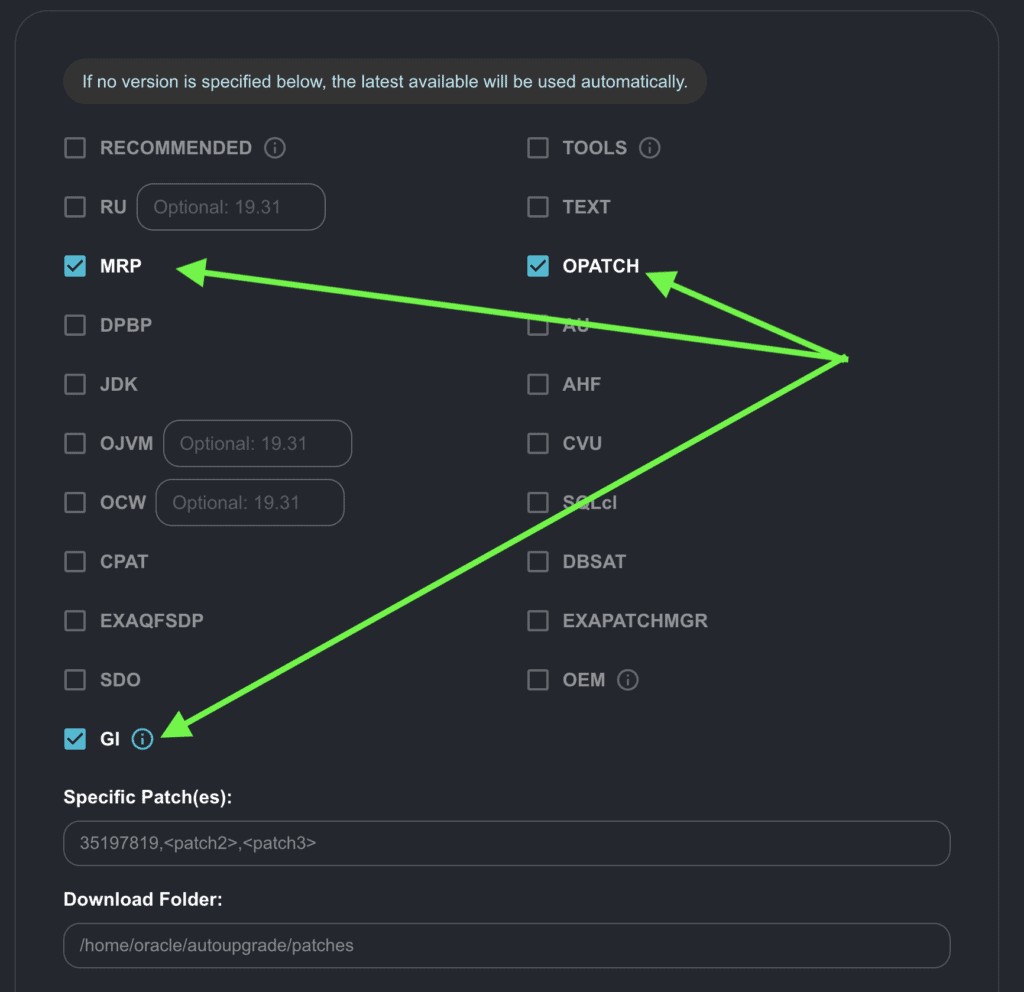
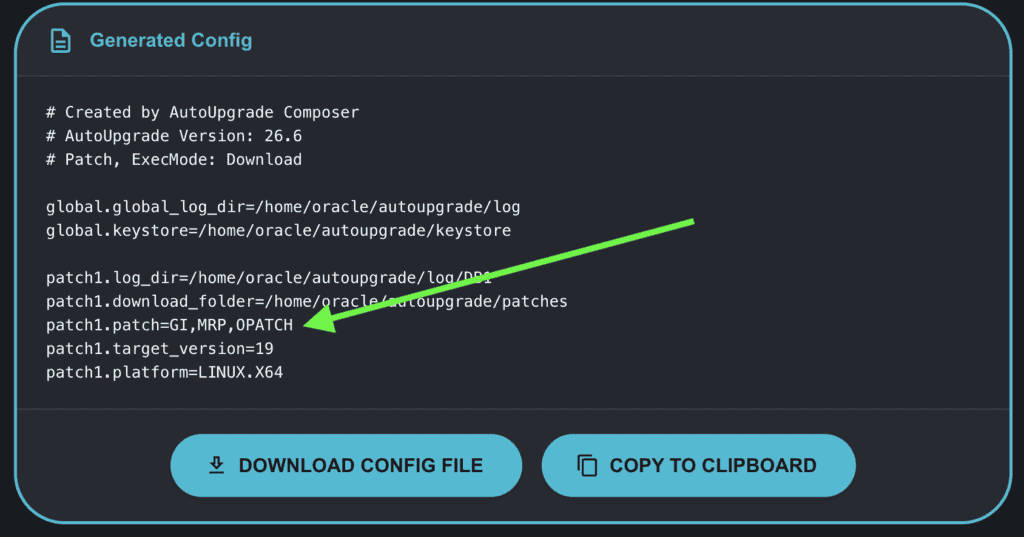
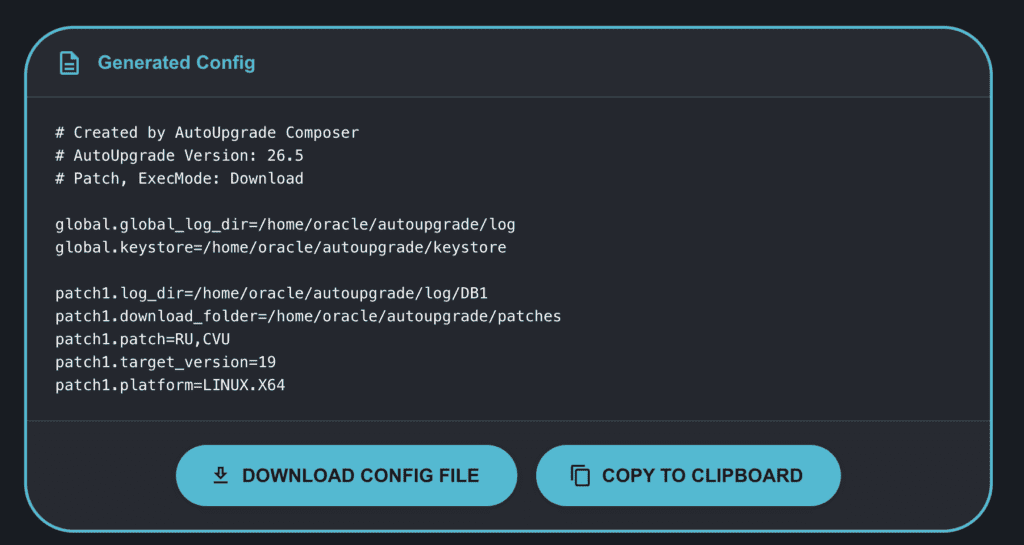
GI is mostly exclusive: selecting it clears and disables all other patch options, with two exceptions: MRP and OPATCH can be combined with GI. This lets you download the Grid Infrastructure RU alongside the Monthly Recommended Patches and the latest OPatch version in a single run:
CPAT and DBSAT
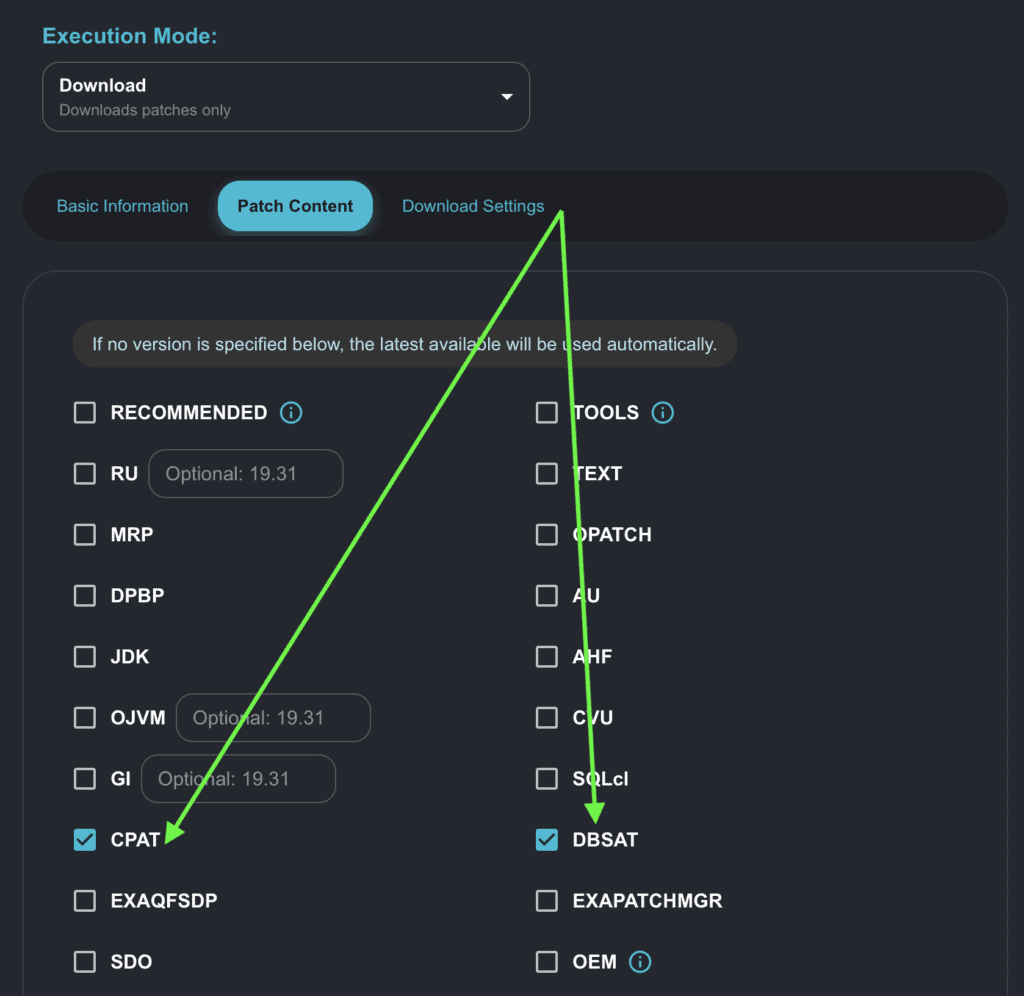
CPAT stands for Cloud Premigration Advisor Tool. If you’re planning a migration to Oracle Cloud, CPAT is the tool for that. DBSAT is the DB Security Assessment Tool — it scans the database and reports on security configuration gaps.
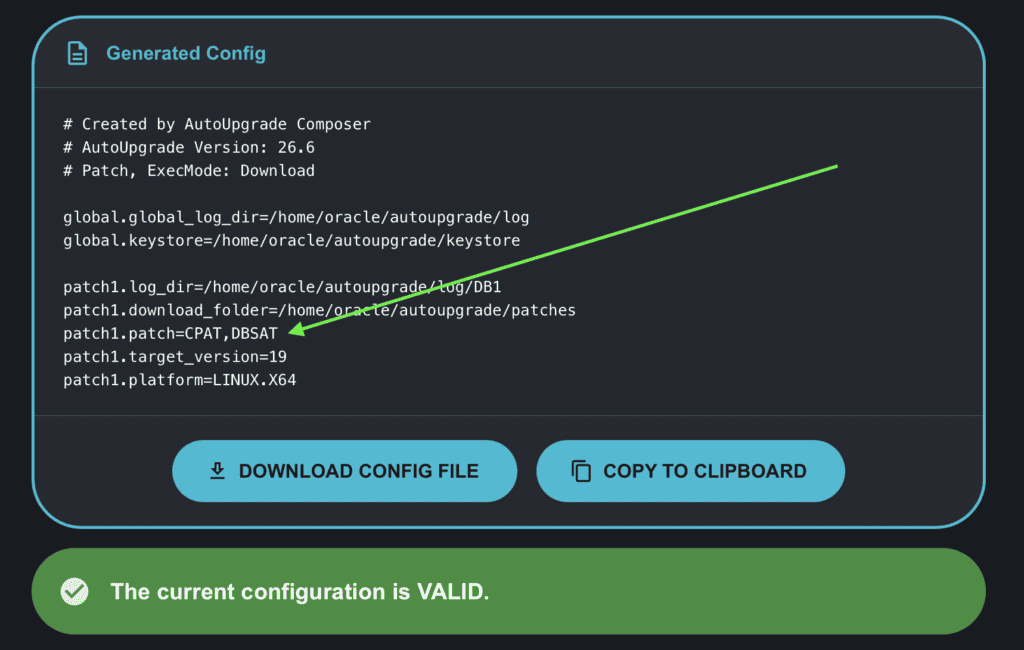
Both are added to the patch parameter as standalone keywords:
patch1.patch=CPAT,DBSAT
Exadata Patches – EXAQFSDP and EXAPATCHMGR
EXAQFSDP is the Exadata Quarterly Full Stack Download Patch. It downloads the full Exadata stack patch bundle matching the target Oracle version. You don’t specify the version manually, the Composer derives it automatically from target_version. If you have target version set to 19, the generated parameter will be EXAQFSDP:19. For 23c or 26ai it becomes EXAQFSDP:26.
One thing worth calling out: this is a full stack download. Depending on the Oracle version, you’re looking at 50+ GB of patch content. Make sure you have the disk space on the target download_folder before kicking this off.
EXAPATCHMGR is the Exadata Patch Manager, a separate utility downloaded alongside the patch set when running on Exadata.
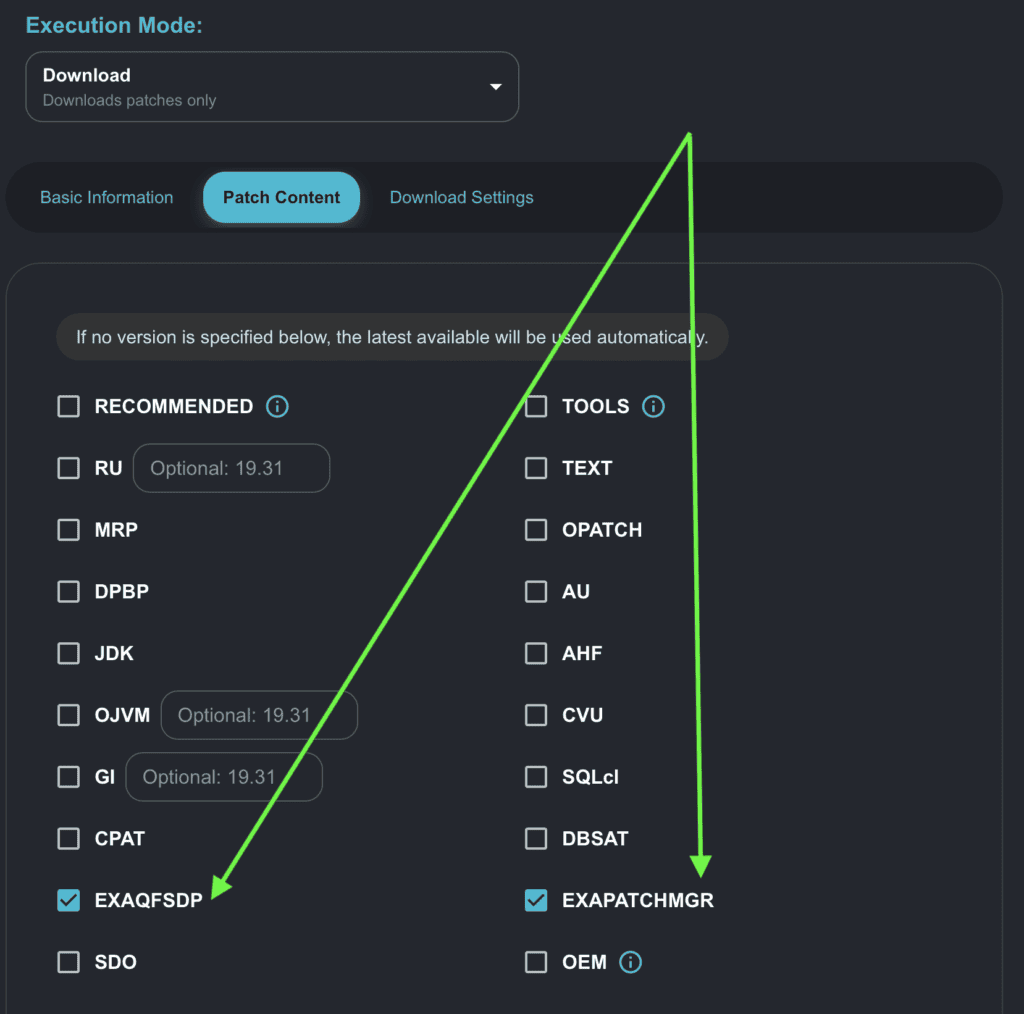
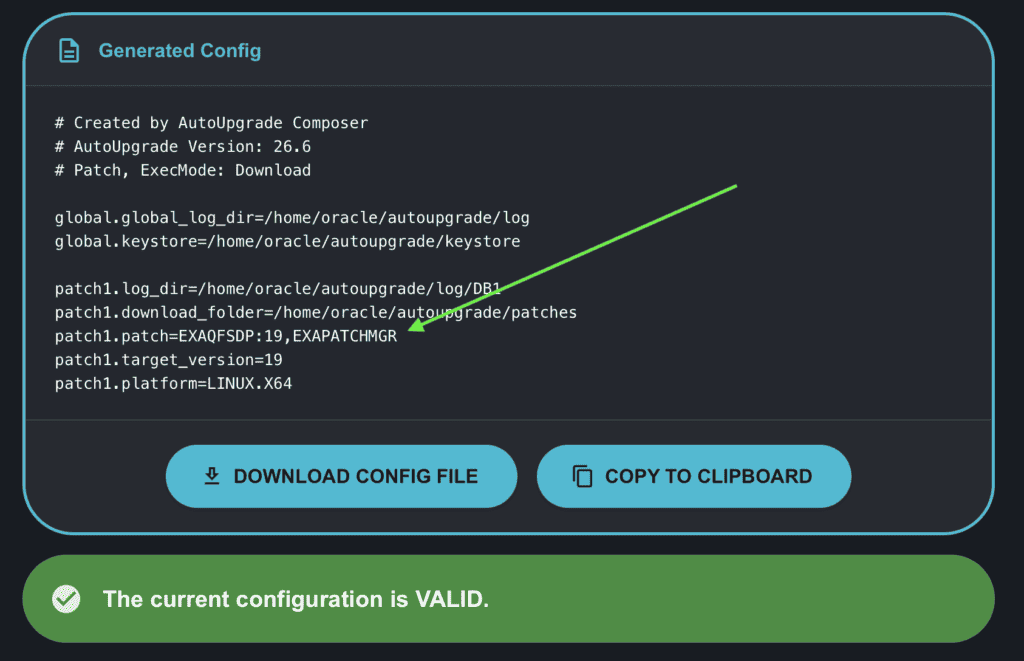
OEM – Oracle Enterprise Manager
The OEM keyword tells AutoUpgrade to download Oracle Enterprise Manager patches in Download mode. It’s an exclusive option: the moment you check OEM, all other patch checkboxes are unchecked and disabled. You can’t combine OEM with RU, OJVM, or anything else, it takes over the whole `patch` parameter.
What gets downloaded depends on what’s available for your OEM version. Typically you’ll see:
- The Release Update for both the OMS (Oracle Management Service) and the Agent
- The Holistic Patch, if one has been released for the current cycle
- OMSPatcher: the patching utility for the OMS
- AgentPatcher: the patching utility for the Agent
When OEM is selected, a version dropdown appears with two choices:
- 13.5 for OEM 13c
- 24.1 for OEM 24ai
The generated parameter uses the colon syntax: OEM:24.1. The target_version is still required, it’s a systemic binding that AutoUpgrade needs to process the config correctly.
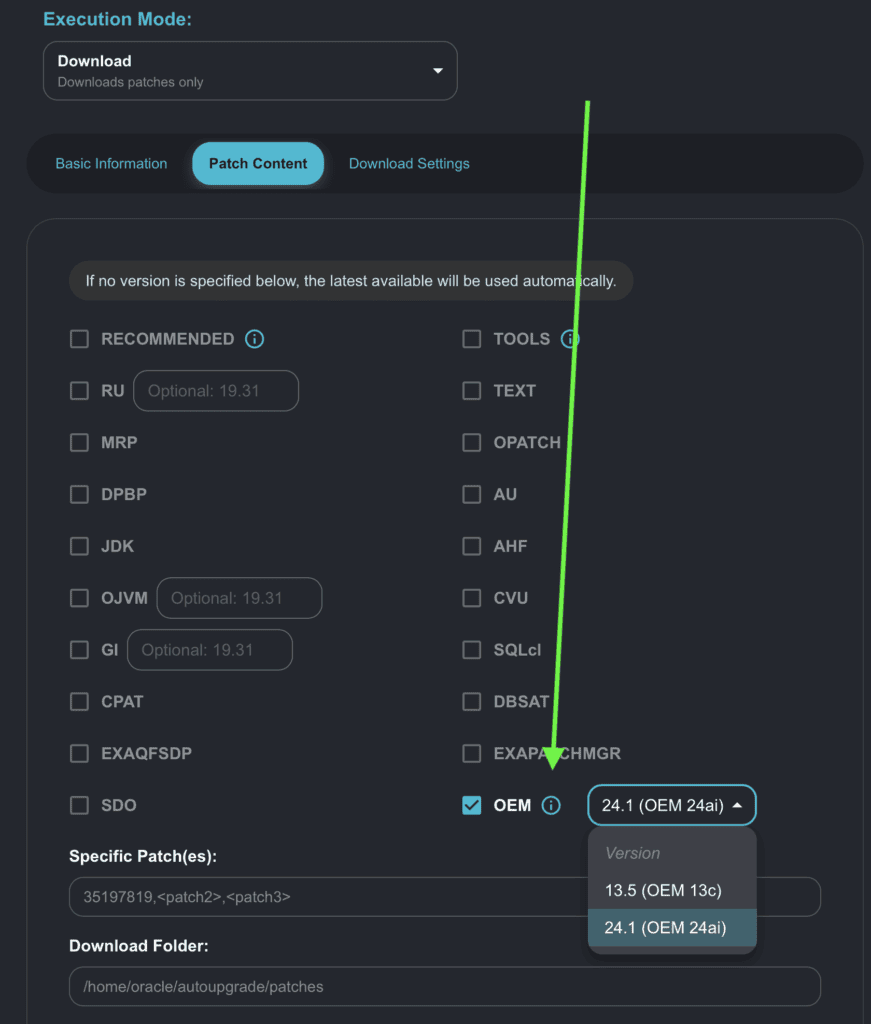
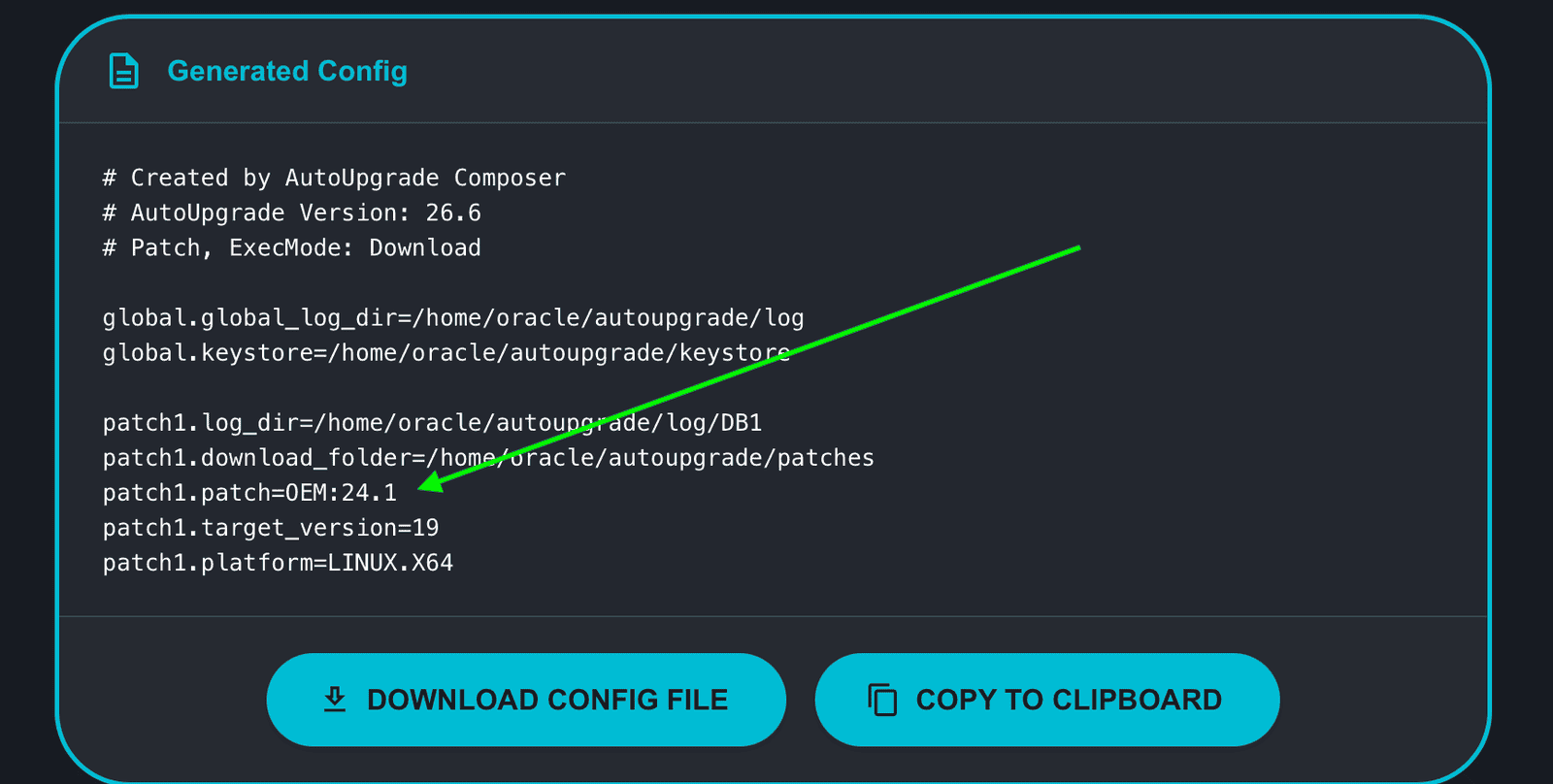
Download-Only Options and the Mode Switch
All five new options below are restricted to Download mode. So are the options added in earlier versions: TOOLS, AHF, CVU, and SQLcl. In Composer v.26.6-1 I confirmed and enforced that across the board: if you’re in Deploy, Analyze, Fixups, or Create Home mode and you click any of these checkboxes, a dialog appears:
- CPAT
- DBSAT
- EXAQFSDP
- EXAPATCHMGR
- OEM, :
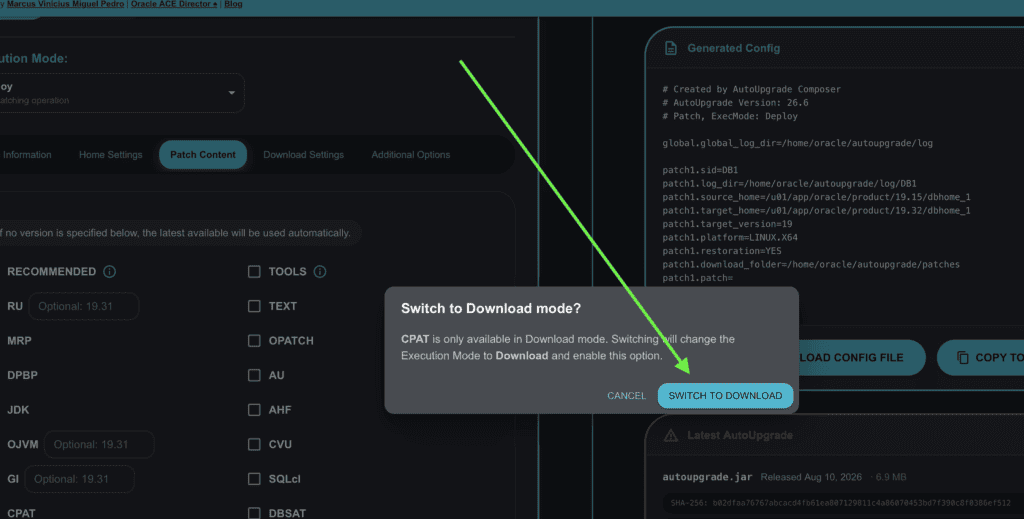
Clicking Switch changes the execution mode to Download and takes you straight to the Patch Content subtab so you don’t have to hunt for it.
If you switch away from Download mode through the normal execution mode selector, all download-only options are automatically cleared. Nothing carries over, the Composer won’t silently generate an invalid config.
—
Load/Config Validation: Version and Mode Awareness
The Load/Validate Configuration feature got two important improvements in this release.
- Mode detection from parameters: The Composer reads the actual parameters to determine how to load the config. For files generated by the Composer, the header comment (# Patch, ExecMode: Download) identifies the operation type. For hand-crafted files, it infers from the fields present: download_folder or patch → Patch mode, target_base or upgrade_node → Upgrade mode, and the specific execution mode (Download, Deploy, Create Home) from the combination of download_folder, source_home, target_home, sid, and the patch keywords present.
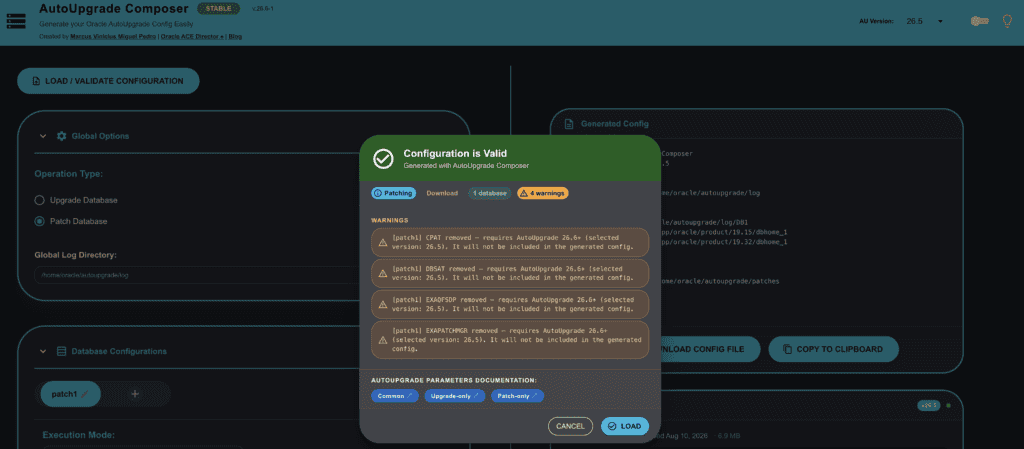
- Version-aware stripping for 26.6+ options: If you load a config that contains CPAT, DBSAT, EXAQFSDP, EXAPATCHMGR, or OEM, and your AU Version selector is set to 26.5 or earlier, the Composer strips those options out and tells you why:
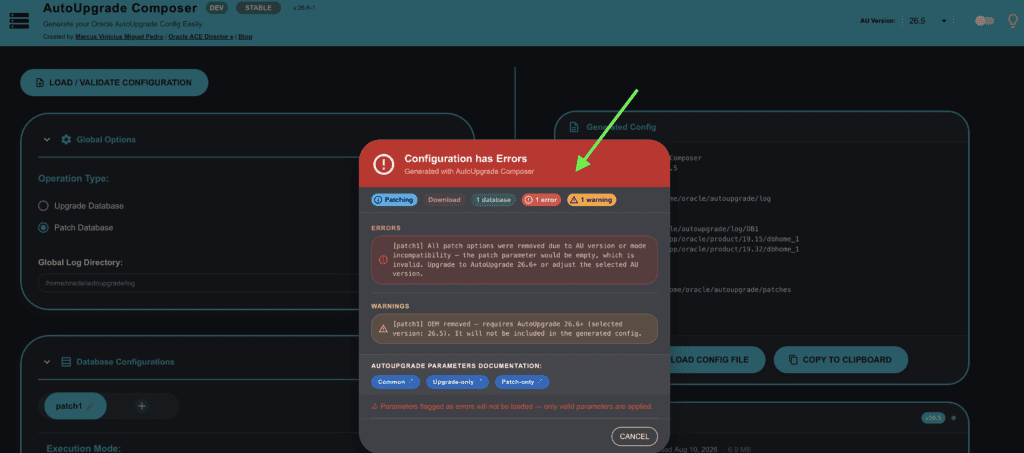
If stripping removes everything from the patch parameter and nothing is left, the error escalates:
In that case the Load button is hidden entirely. There’s nothing useful to load because the resulting config would be broken. You need to either raise the selected AU version or fix the patch options before loading.
Shows the version warning and the blocked Load button (empty patch error):
Latest AutoUpgrade Version Check
The Latest AutoUpgrade card at the bottom of the page fetches the current AutoUpgrade version available via Oracle’s direct download URL. In most cases that matches whatever is in the AU Version selector and everything looks normal.
But sometimes you’re working with a version that Oracle has released but hasn’t yet pushed to the direct download endpoint. In that case the card turns amber and shows a warning:
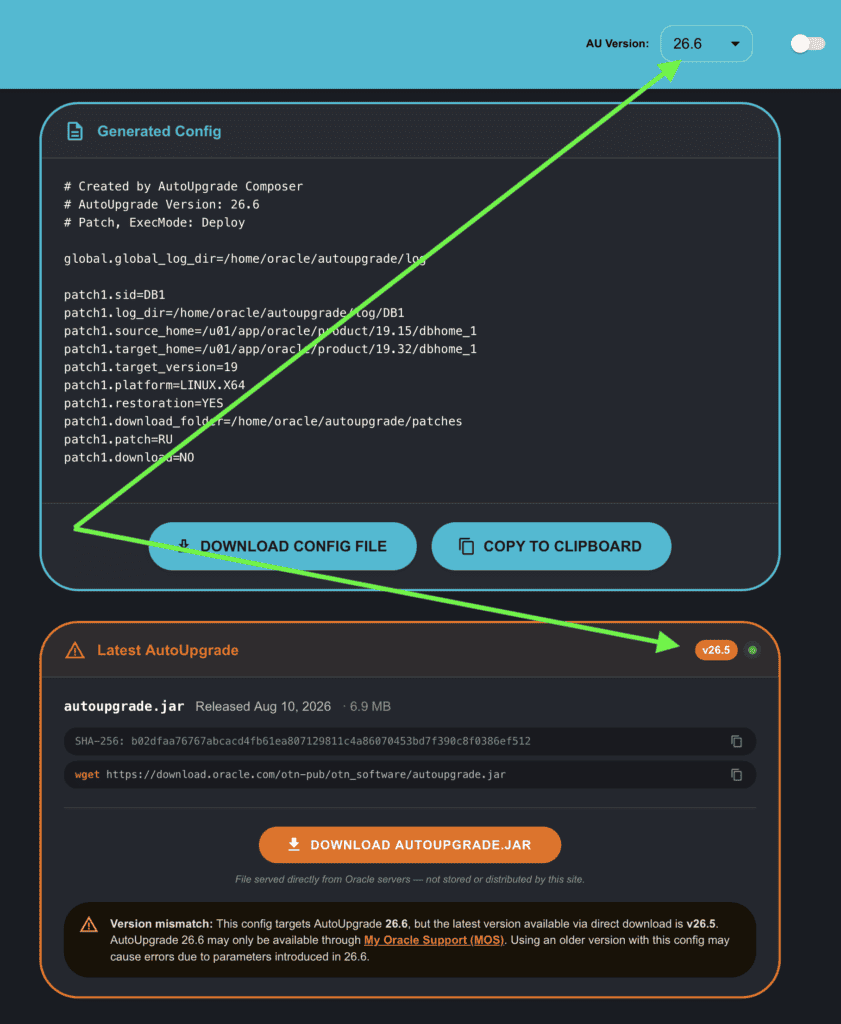
This is informational: it doesn’t block anything. It just tells you that if you need to download AutoUpgrade 26.6, MOS is the place to get it for now. Once Oracle updates the direct download link, the amber state clears automatically on the next fetch.
Conclusion
Composer v.26.6-1 has a significant patch options update: five new keywords, full Download mode enforcement across all download-only options, smarter file loading, and the amber release card. If you run AutoUpgrade on Exadata, the EXAQFSDP and EXAPATCHMGR options will be especially useful. If you do pre-migration assessments with CPAT or security reviews with DBSAT, you can now use AutoUpgrade to download the tools for you.
As always, the tool is at https://autoupgrade-composer.com, give it a try and let me know if you run into anything.
Peace,
Vinicius
Leave a comment