
AutoUpgrade Composer: Updated to v.26.7.2-1
Hi everyone, hope you’re doing well.
AutoUpgrade Composer is now at v.26.7.2-1. This release brings the AutoUpgrade 26.7 patch options to the Composer: two new keywords, APEX and ORDS; global download folder, and a change in the behavior for GI and OEM that give you a lot more flexibility when combining patch options. I also improved the version mismatch card. Let me walk through it.
global.download_folder
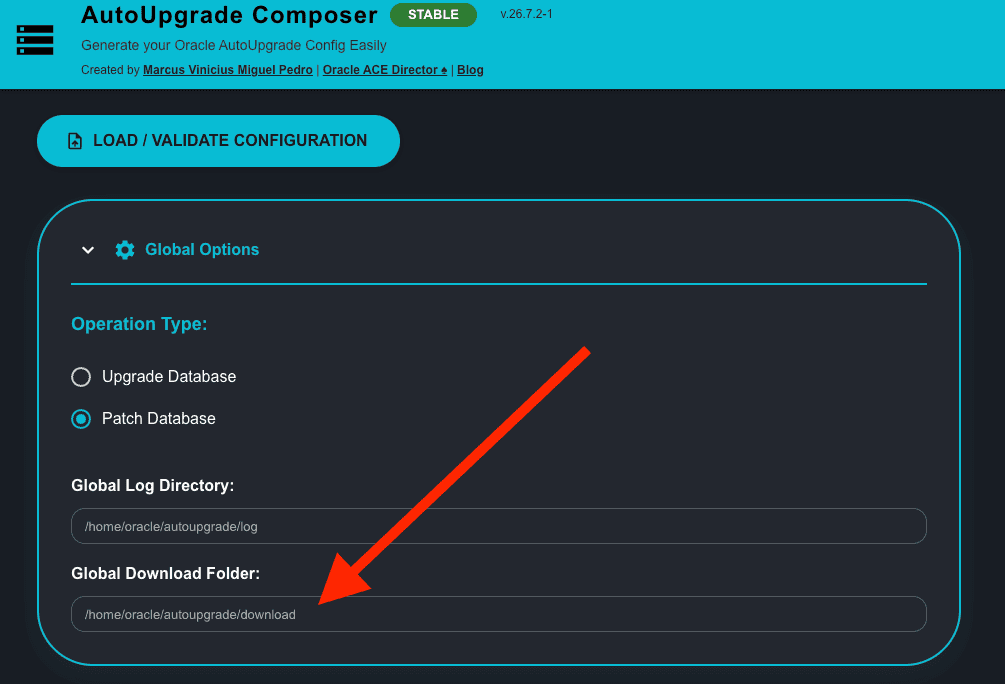
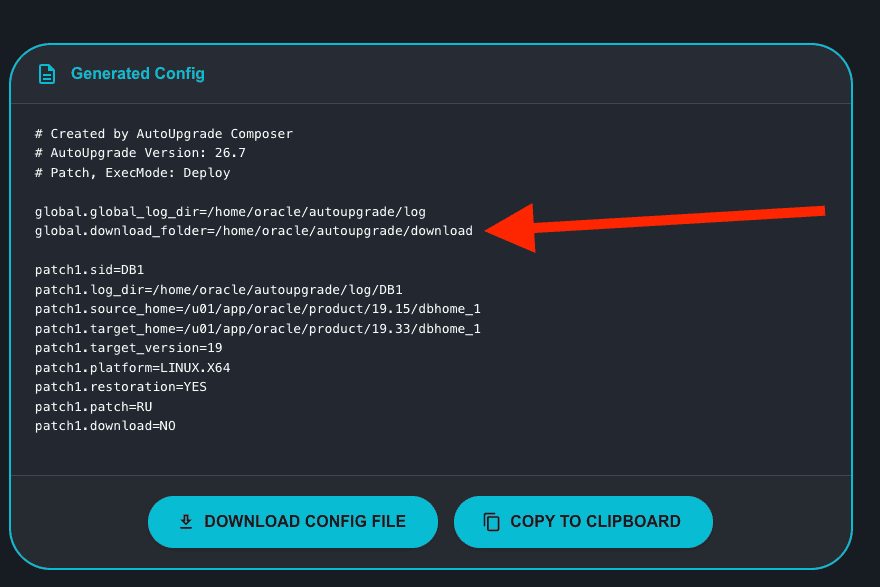
This is the most impactful change in 26.7 for day-to-day configuration creation. Before 26.7, you had to specify download_folder on every single patch entry (patch1.download_folder, patch2.download_folder, etc). If you had five patches in a config, you wrote the same path five times. AutoUpgrade 26.7 introduces global.download_folder, which sets a default folder that all patches inherit. Per-patch download_folder still works as an override.
The Composer picks this up automatically. When you’re on AU 26.7 and Patch mode, a new Global Download Folder field appears in the Global Options section. Leave it empty and the placeholder shows the default path. Fill it in and that value goes into the generated config as global.download_folder=.
APEX and ORDS
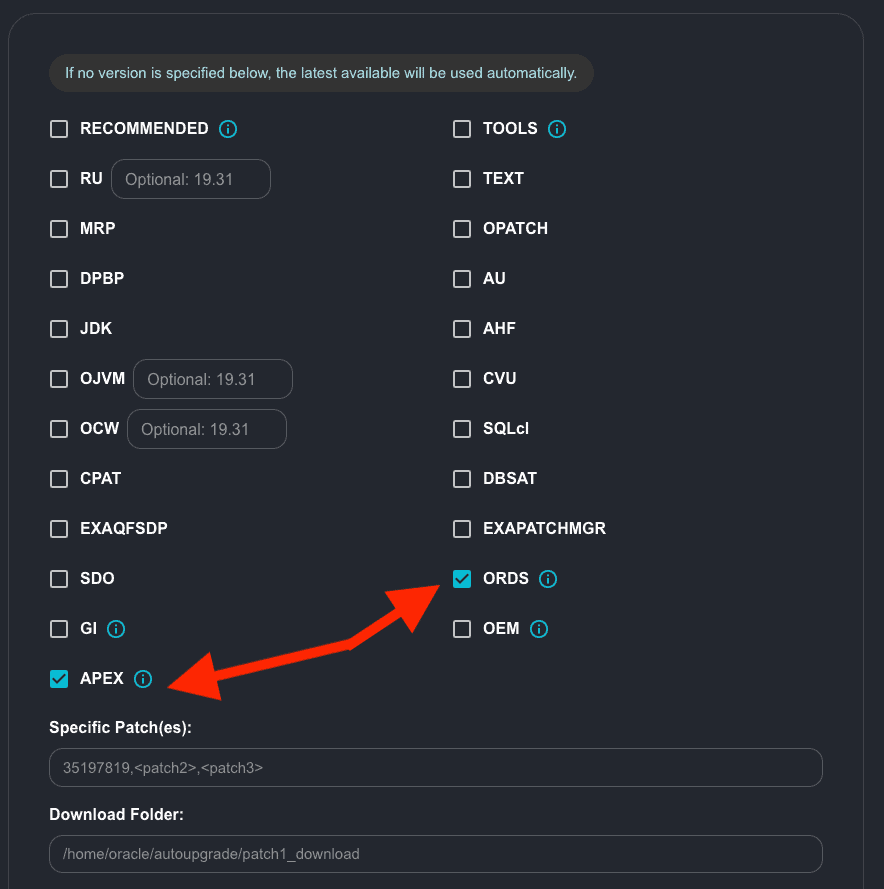
Two new keywords in AutoUpgrade 26.7: APEX (Oracle Application Express) and ORDS (Oracle REST Data Services). Both are download-only: AutoUpgrade fetches the latest available version of each tool during the download phase.
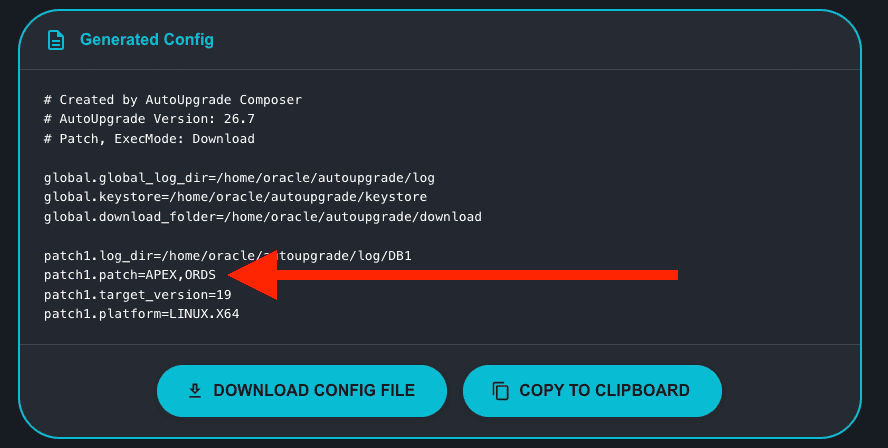
In the Composer, they appear as checkboxes in Patch Content when you have AU 26.7 selected. APEX sits in the left column after GI, ORDS in the right column after EXAPATCHMGR. The generated parameter is straightforward:
patch1.patch=APEX,ORDS
global.download_folder with multiple patches
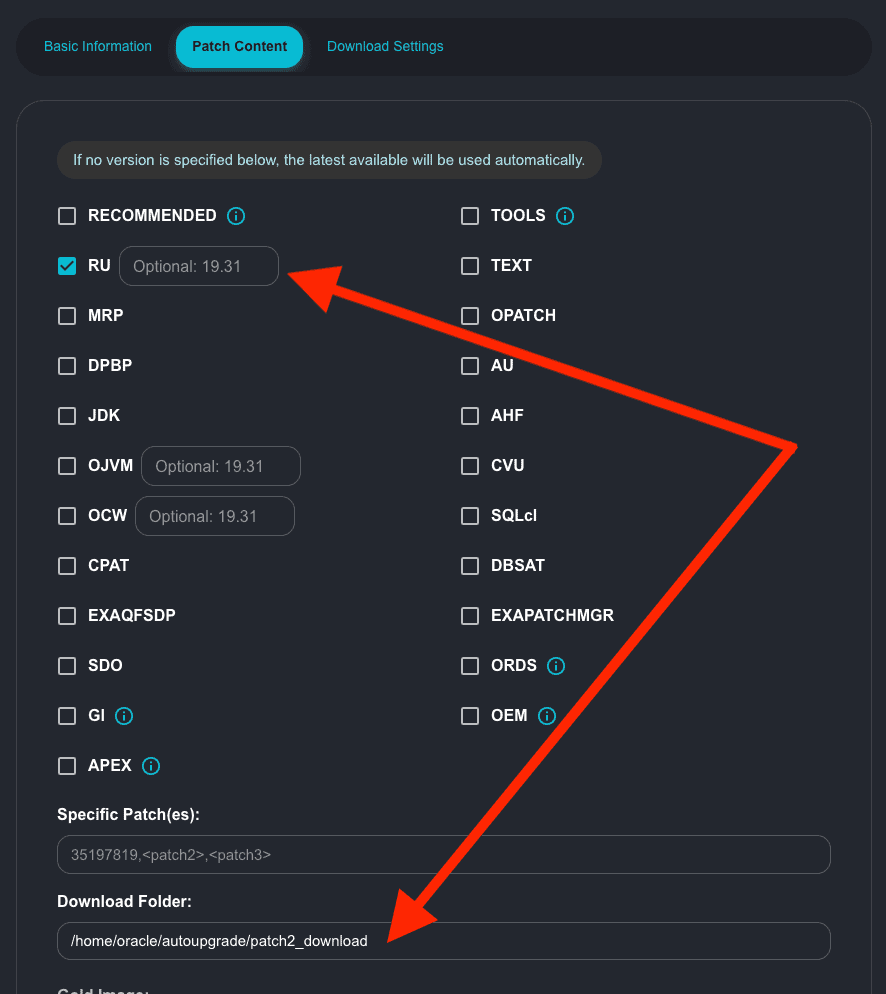
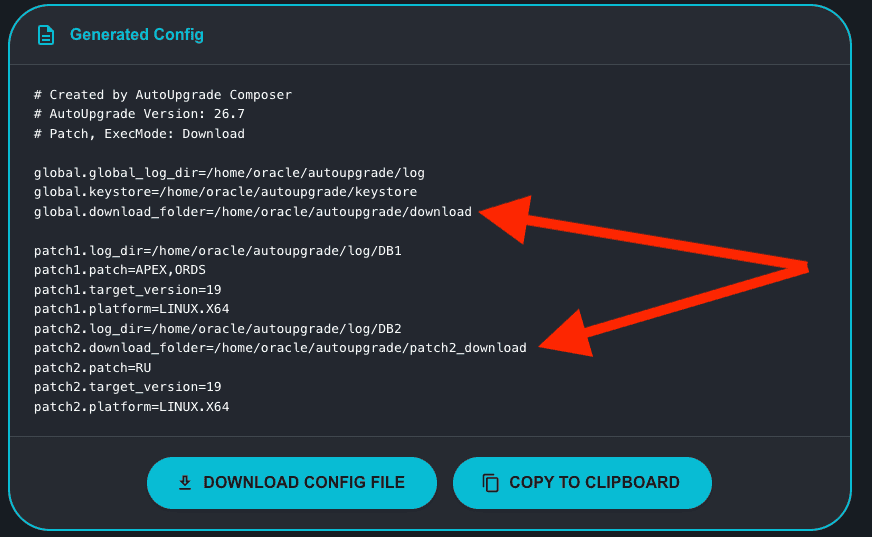
The global folder gets more interesting when you have multiple patch entries in the same config. The common pattern is: one patch entry for downloading tools (APEX, ORDS, etc.) and another for the actual database patches (RU, OJVM, etc.). With global.download_folder, you define the base path once at the top. Then, if you need a specific path for a given patch entry, you override it at the patch level.
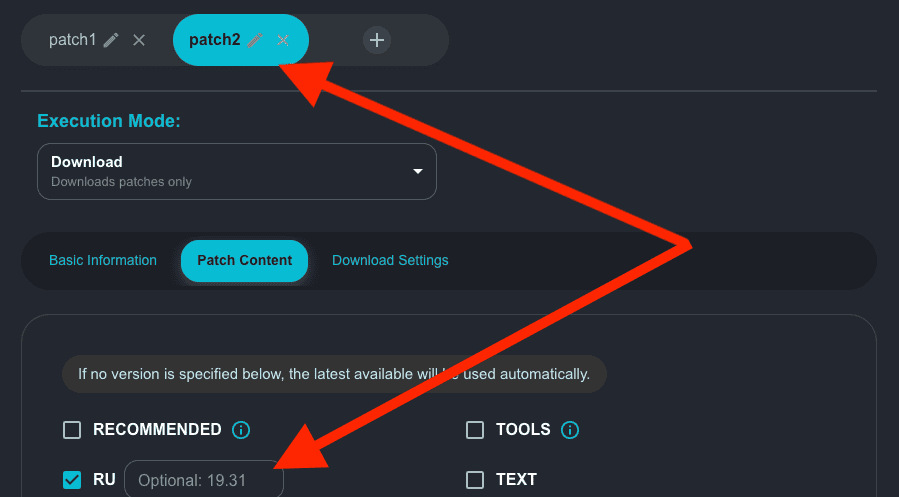
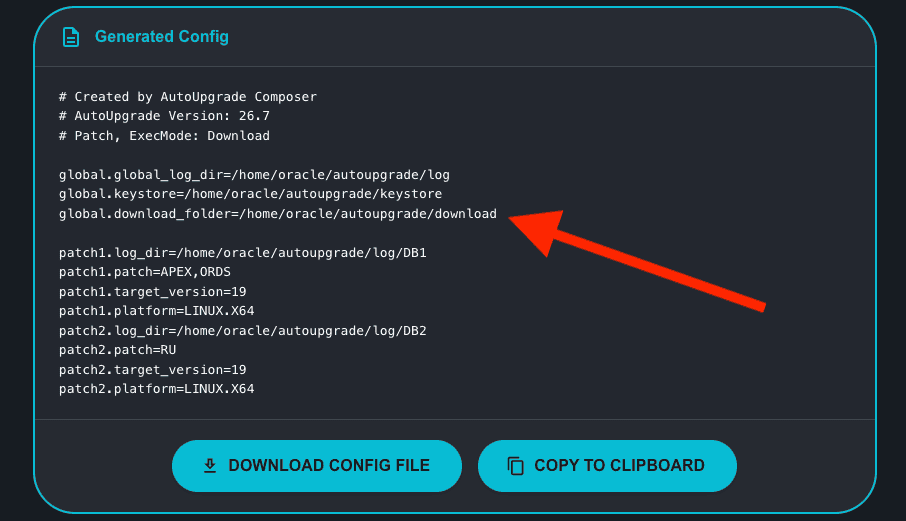
In this example patch1 inherits the global folder. For patch2 I specified its own Download Folder, so the Composer emits a per-patch override and skips the global for that entry.
GI is now combinable with all download-only types in 26.7+
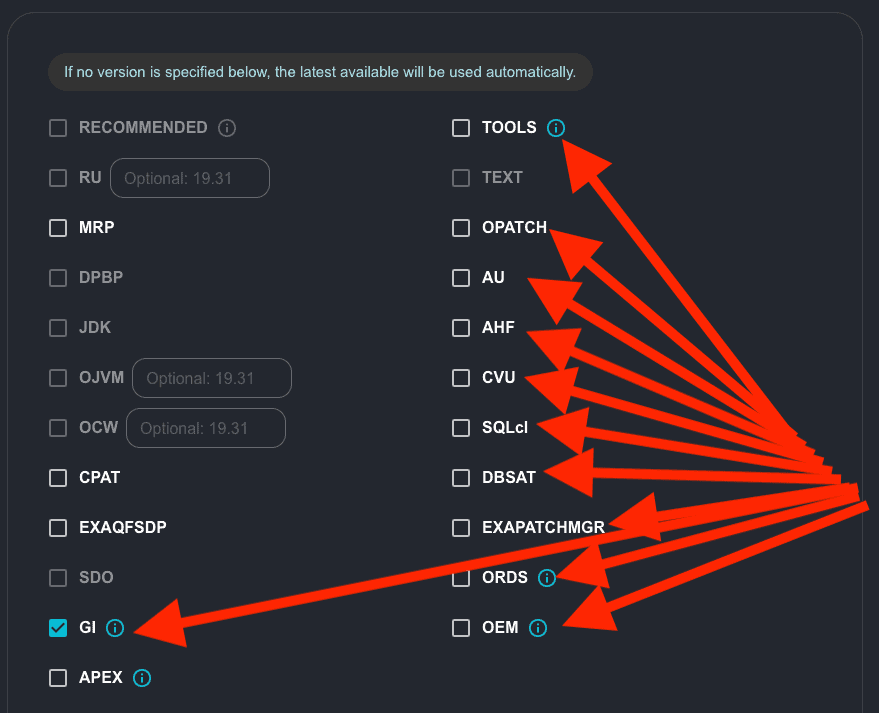
In 26.6, selecting GI was mostly exclusive, you could only combine it with MRP and OPATCH. AutoUpgrade 26.7 lifts that restriction (thank you Alex and RJ!). GI can now be combined with every download-only option: TOOLS, AU, AHF, CVU, SQLcl, DBSAT, CPAT, EXAQFSDP, EXAPATCHMGR, ORDS, and OEM.
The Composer reflects this. When you check GI on AU 26.7, all those options stay enabled instead of being greyed out.
OEM is no longer exclusive in 26.7+
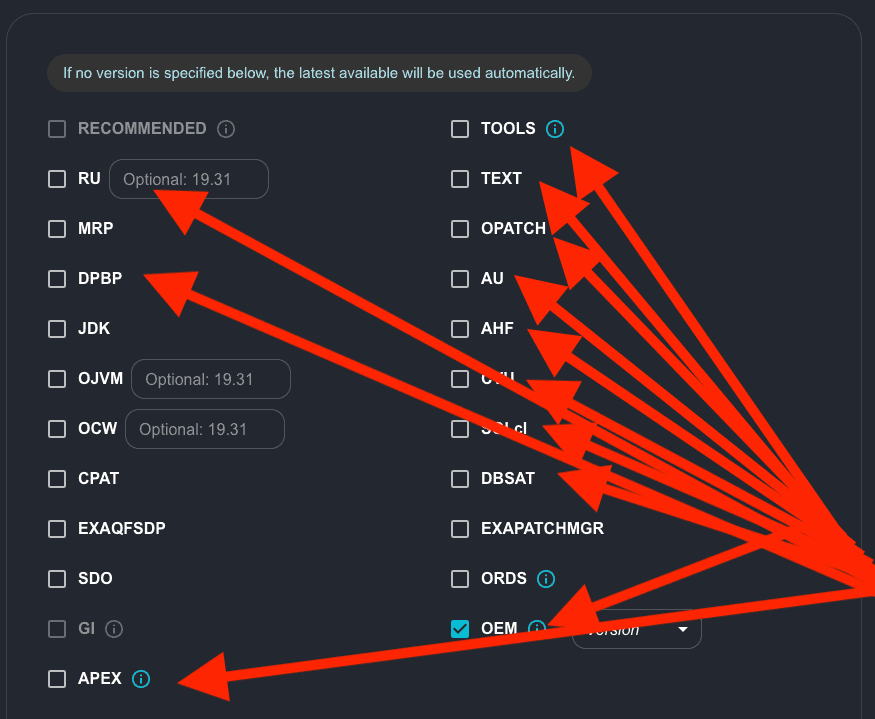
Same story for OEM (thank you Alex and RJ!). In 26.6, checking OEM unchecked and disabled everything else — it had to be the only entry in the patch parameter. In 26.7+ that’s gone. OEM is now combinable with any other option.
Version mismatch card
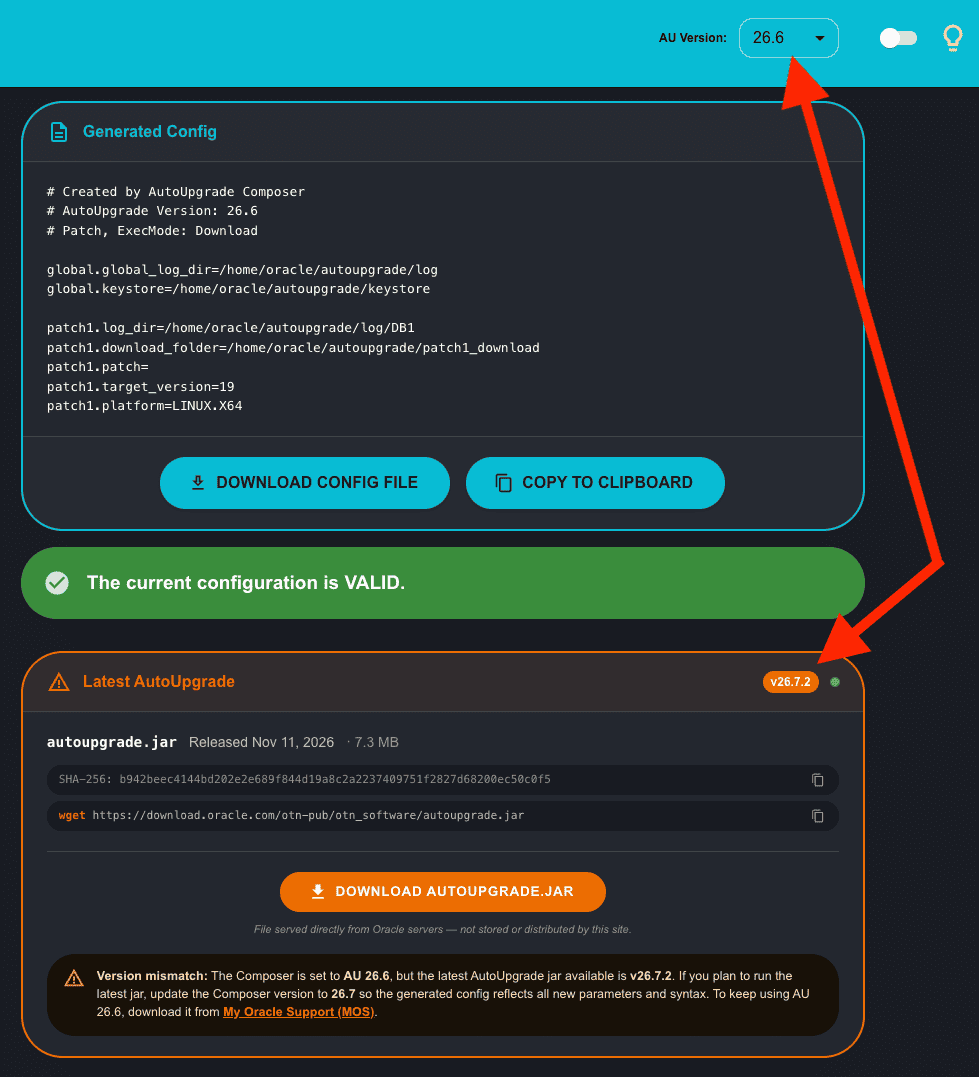
The Latest AutoUpgrade card at the bottom of the page compares the latest available jar version against the AU Version you have selected in the Composer. In this release I fixed the comparison logic and rewrote the warning message to be clearer about what’s actually happening.
If you have the Composer set to 26.6 and Oracle’s direct download endpoint is already serving 26.7.2, the card turns amber. It’s not blocking anything, it’s just making sure you’re aware of the gap. A config generated for AU 26.6 is valid for AU 26.6. It may not be valid for 26.5 (parameters that don’t exist there), and it may not take advantage of things introduced in 26.7. The version you pick in the Composer is the version your config is built for, the card makes that visible when the latest available jar has moved on.
Conclusion
v.26.7.2-1 is a good one. The global download folder alone saves a lot of repetition in configs with multiple patch entries. APEX and ORDS round out the full set of 26.7 patch keywords, and the GI and OEM combinability changes open up download strategies that weren’t possible before.
The tool is at https://autoupgrade-composer.com as always. Give it a try and let me know if you run into any issue.
Peace,
Vinicius
Leave a comment