Hi everyone, hope you’re doing well.
This blog post is to announce that AutoUpgrade-Composer has been updated to v.26.2-2.
The Reason
Today, Rodrigo Jorge blogged about two changes in the new version of AutoUpgrade released on February 6th (26.2):
- RAC Rolling: now AutoUpgrade has the capability to perform RAC Rolling patching (if the conditions allows).
- Drain Timeout: as we now have the capability for RAC Rolling patching, we can choose to have AutoUpgrade perform the Drain Timeout for the RAC databases.
I will not talk in detail about this change in this post, as Rodrigo Jorge already covered it really well (as always) in his blog post:
RAC Rolling mode in AutoUpgrade
The goal of this blog post is to show how those new changes will be presented in AutoUpgrade-Composer.
The New Feature: RAC Rolling
So, now, when you select the Analyze Only and Deploy Modes in the Patch Section, we have the RAC Rolling dropdown field:
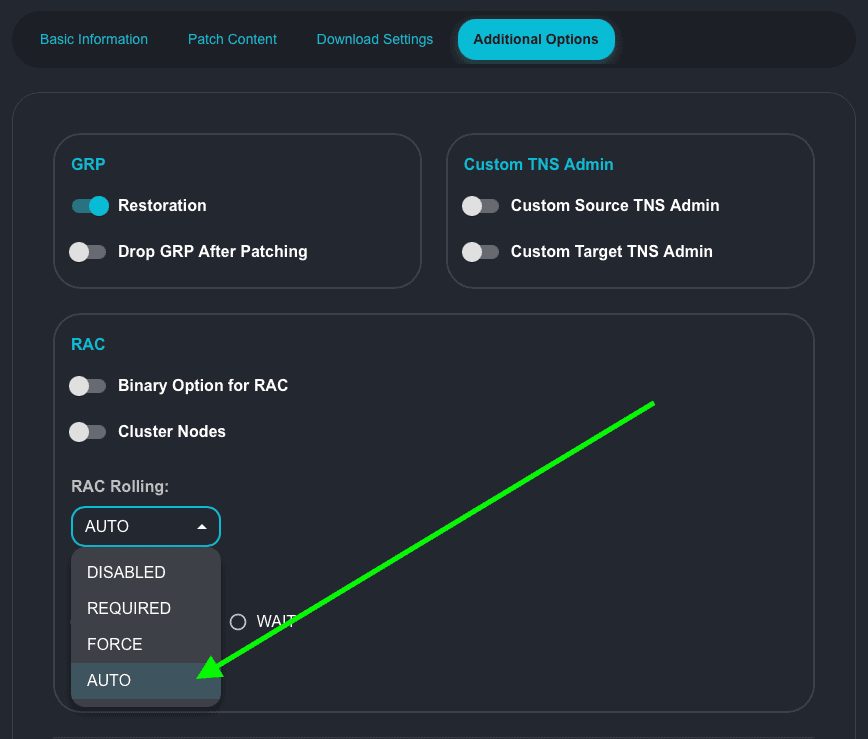
The valid options are shown below:
- DISABLED
- REQUIRED
- FORCE
- AUTO
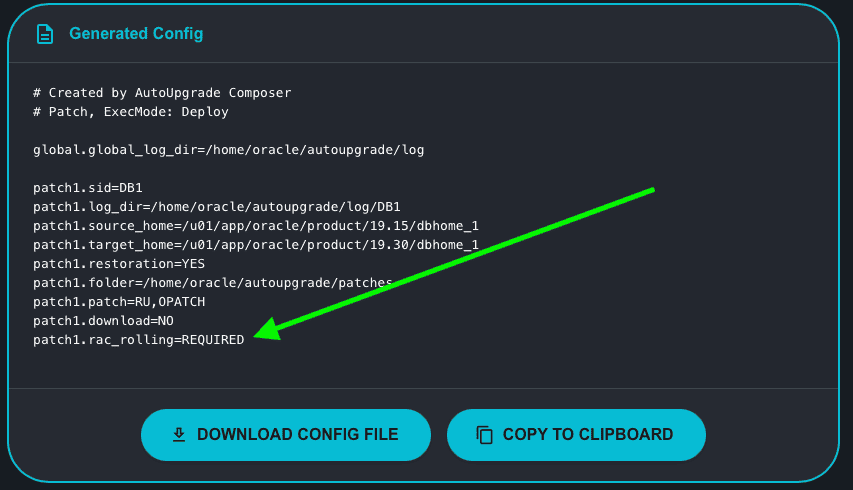
AUTO is the default option, and as the default option, its value is not added to the Generated Config.
If you choose any value different from AUTO, like REQUIRED, its value will be added to the Generated Config:
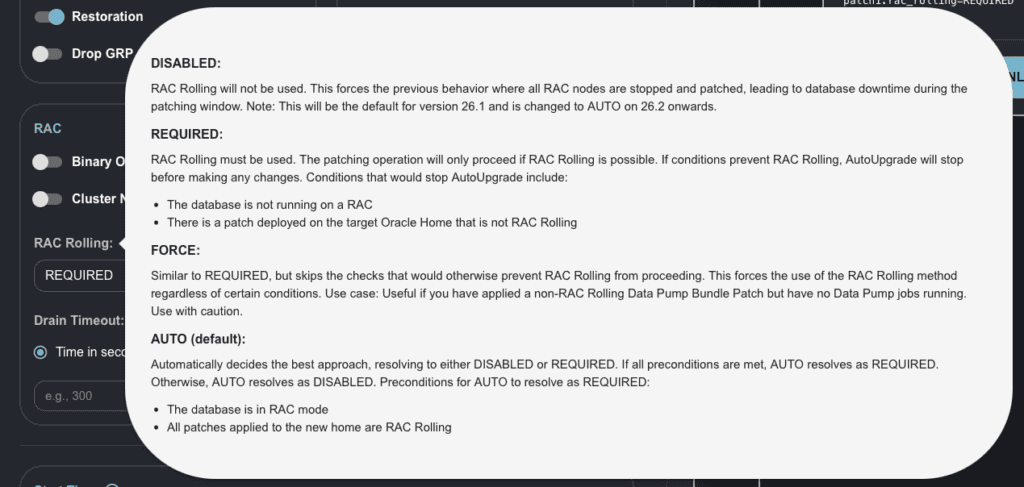
You also have a tooltip box. By moving the mouse cursor over the RAC Rolling field, it will show a brief description of how it works (this is from Rodrigo’s post):
The New Feature: Drain Time
Now, when you select the Analyze Only and Deploy Modes in the Patch Section, we have the Drain Timeout field after RAC Rolling:
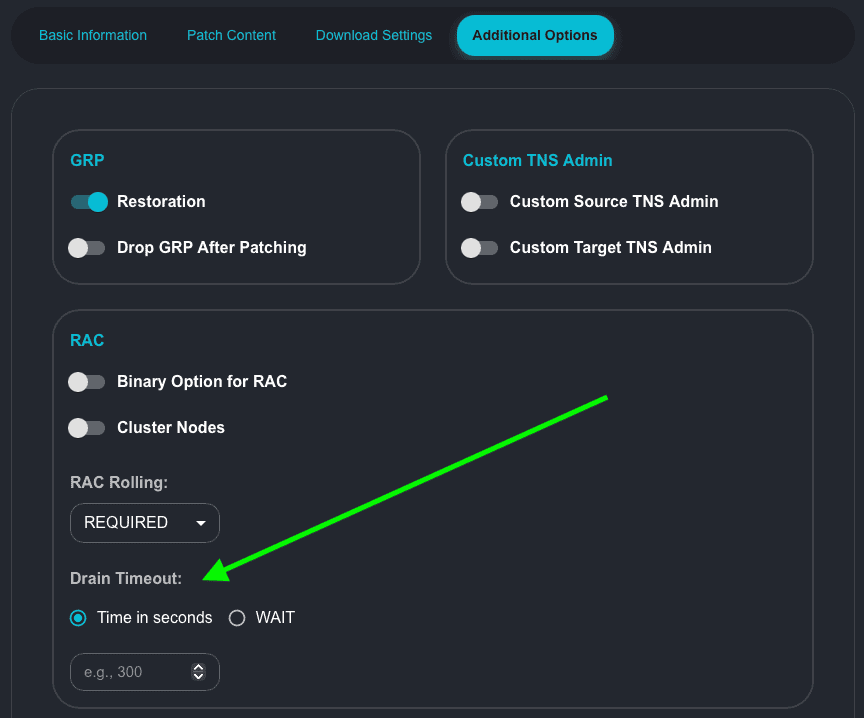
The valid options are shown below:
- Time in seconds
- NULL
- WAIT
The default value in AutoUpgrade-Composer is NULL.
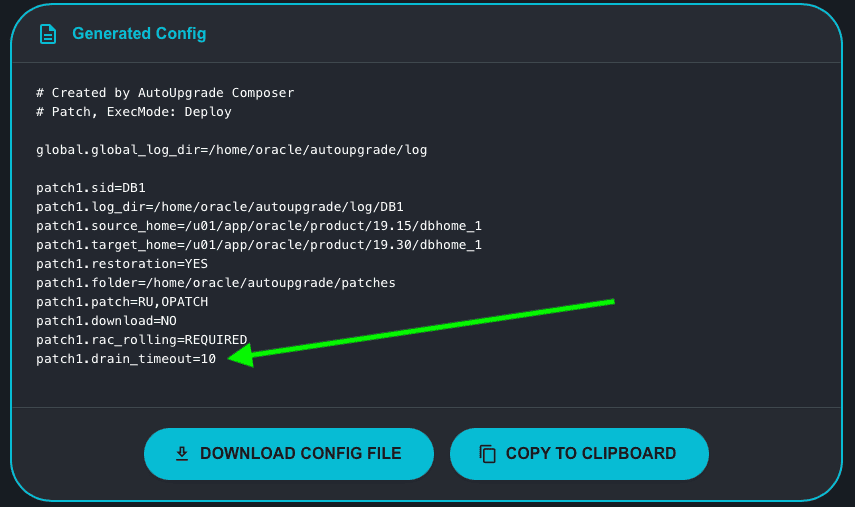
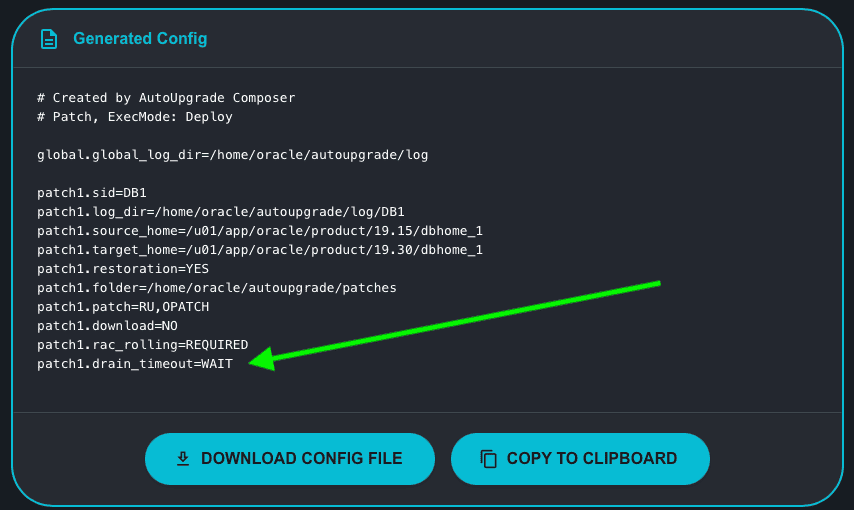
If you choose any value different from NULL, like any time in seconds or WAIT, its value will be added to the Generated Config:
Time in seconds:
WAIT:
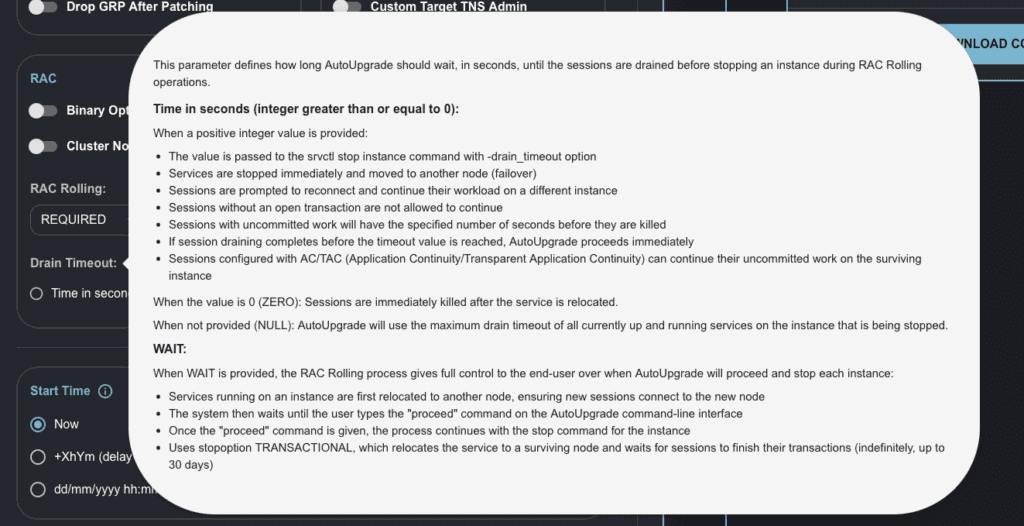
You also have a tooltip box. By moving the mouse cursor over the Drain Timeout field it will show a brief description of how it works (this is from Rodrigo’s post):
The Change: IgnorePreReqFailure
This is not new in AutoUpgrade, but it’s new in AutoUpgrade-Composer! 🙂
There are several parameters for home_settings in AutoUpgrade and I am not covering all of those parameters here in AutoUpgrade-Composer, but I thought that it makes sense to have IgnorePreReqFailure as part of Analyze Only/Deploy/Create Home modes. As a DBA, I used it several times. 🙂
In Create Home mode, under Basic Information, we have the new switch button to toggle the parameter ON:
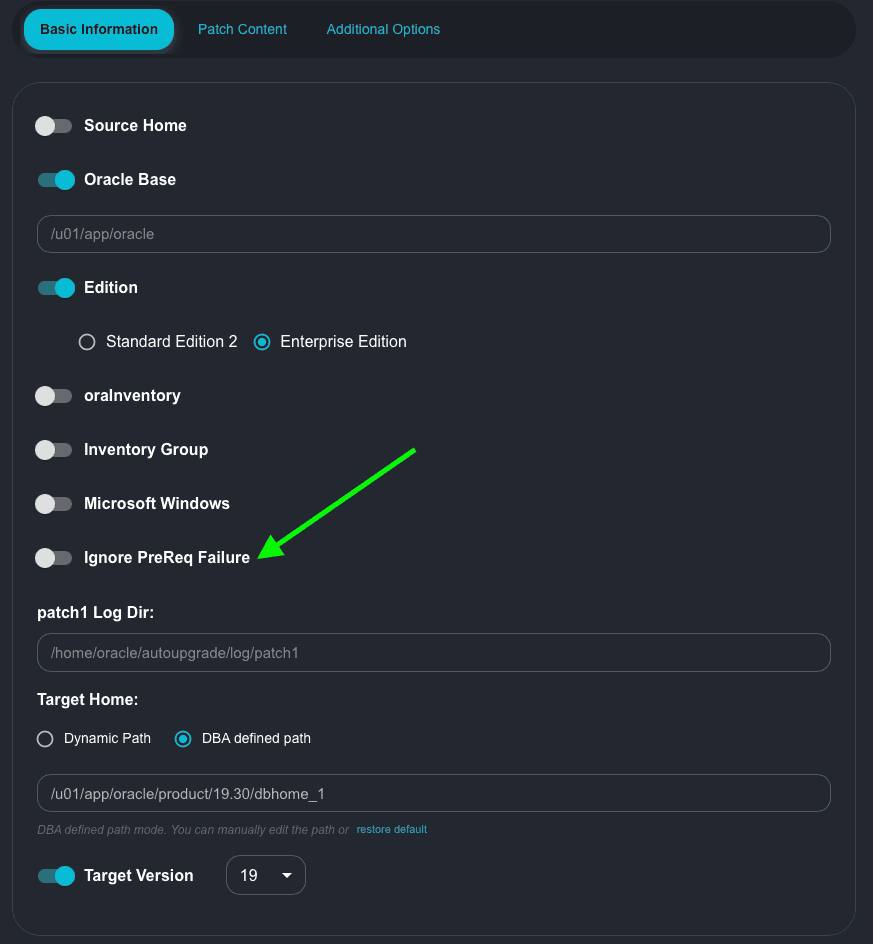
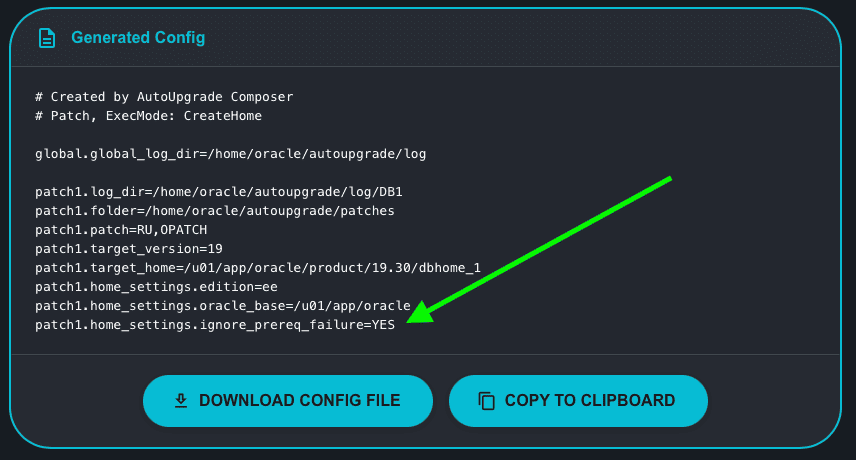
If I switch to ON, the Generated Config is updated:
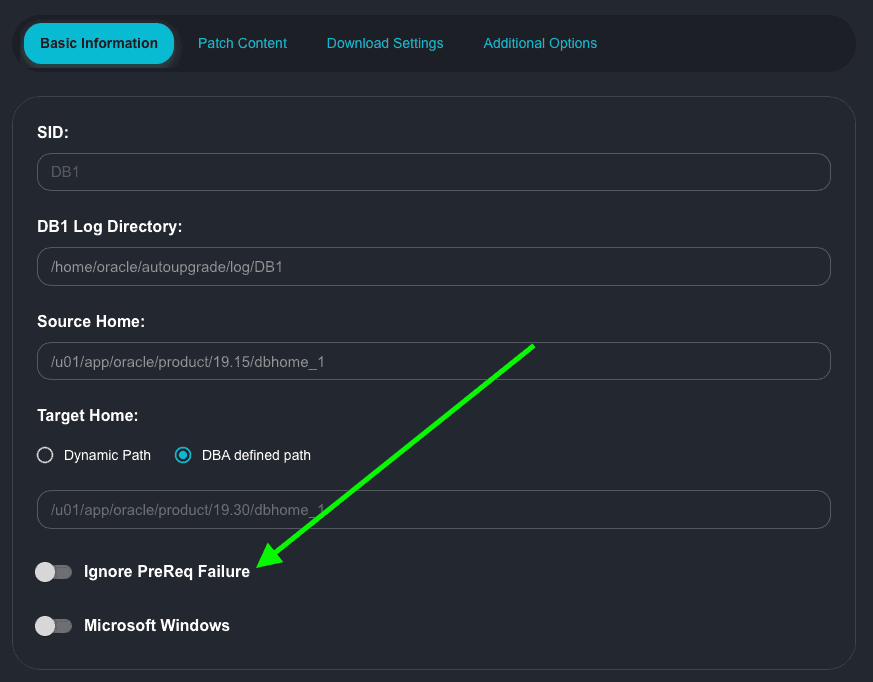
In Analyze Only/Deploy modes, in Basic Information tab:
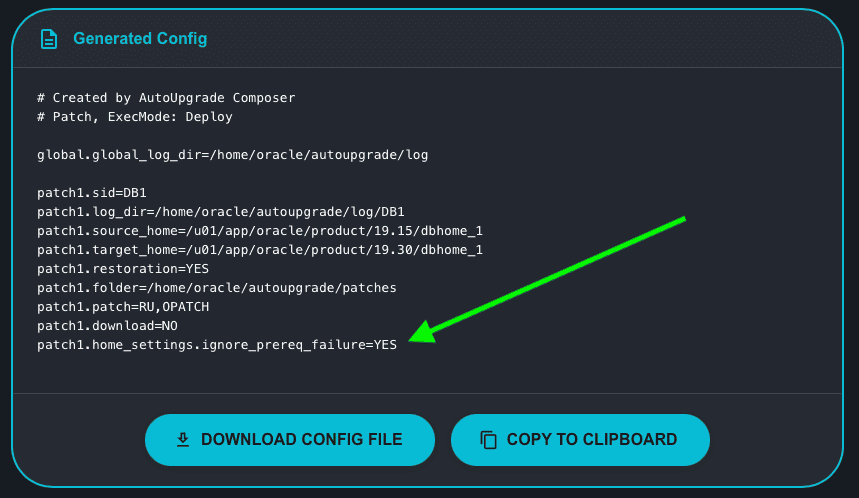
Same behavior if I toggle the switch to ON:
Hope it helps!
Peace!
Vinicius
